
Crestron video conferencing equipment turns meeting rooms into Microsoft Teams Rooms or Zoom Rooms spaces, from all-in-one videobars to Collab Compute room computers, intelligent cameras and tabletop speakerphones. You can buy it in Ireland from 1Install, an authorised Crestron Elite Partner, supplied on its own or installed and programmed.
All 36 products
-
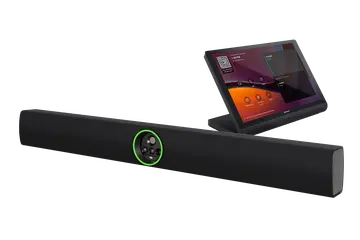 UC-B70
Flex Large Room Conference Solution with All-In-One Videobar 70 for Microsoft Teams Rooms, International
€6,620 plus VAT
UC-B70
Flex Large Room Conference Solution with All-In-One Videobar 70 for Microsoft Teams Rooms, International
€6,620 plus VAT -
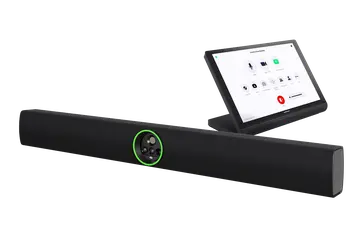 UC-B70-A-Z
Flex Large Room Conference Solution with All-In-One Videobar 70 for Zoom Rooms Software, International
€6,620 plus VAT
UC-B70-A-Z
Flex Large Room Conference Solution with All-In-One Videobar 70 for Zoom Rooms Software, International
€6,620 plus VAT -
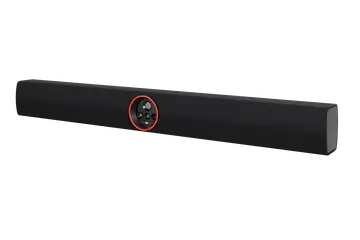 UC-SB2-CAM
Flex All-In-One Videobar 70 for Microsoft Teams Rooms, International
€4,415 plus VAT
UC-SB2-CAM
Flex All-In-One Videobar 70 for Microsoft Teams Rooms, International
€4,415 plus VAT -
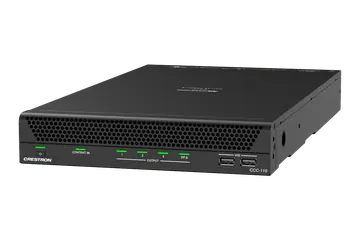 CCC-110
Collab Compute with the Intel Core Ultra 5 for Microsoft Teams Rooms Software
€2,242 plus VAT
CCC-110
Collab Compute with the Intel Core Ultra 5 for Microsoft Teams Rooms Software
€2,242 plus VAT -
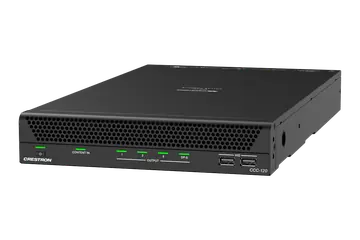 CCC-120
Collab Compute with the Intel Core Ultra 7 for Microsoft Teams Rooms Software
€3,222 plus VAT
CCC-120
Collab Compute with the Intel Core Ultra 7 for Microsoft Teams Rooms Software
€3,222 plus VAT -
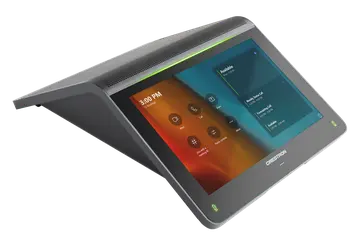 UC-2-T-V
Small Room Tabletop Conference Device for Crestron Collab Compute Devices, International
€1,012 plus VAT
UC-2-T-V
Small Room Tabletop Conference Device for Crestron Collab Compute Devices, International
€1,012 plus VAT -
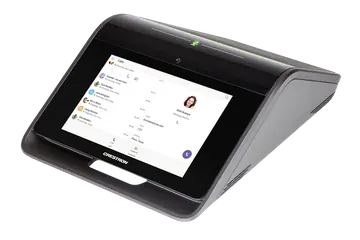 CCS-UC-1
Tabletop Conference Device for Collab Compute Devices
€1,280 plus VAT
CCS-UC-1
Tabletop Conference Device for Collab Compute Devices
€1,280 plus VAT -
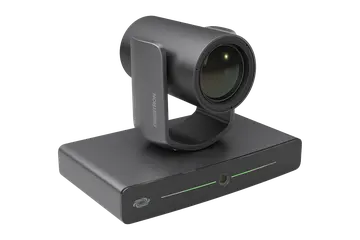 IV-CAM-I12
1 Beyond i12 Intelligent PTZ Camera, 12x Optical Zoom
Price on request Choose version
IV-CAM-I12
1 Beyond i12 Intelligent PTZ Camera, 12x Optical Zoom
Price on request Choose version -
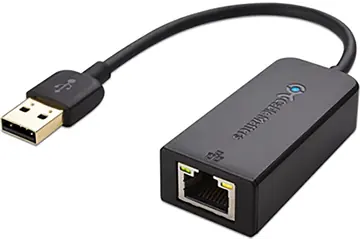 ADPT-USB-ENET
USB-to-Ethernet Adapter
€44 plus VAT
ADPT-USB-ENET
USB-to-Ethernet Adapter
€44 plus VAT -
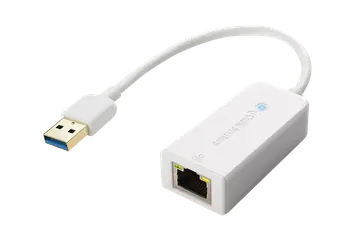 ADPT-USB3.0-GBENET
USB-to-Ethernet Adapter for Audio Isolation
€56 plus VAT
ADPT-USB3.0-GBENET
USB-to-Ethernet Adapter for Audio Isolation
€56 plus VAT -
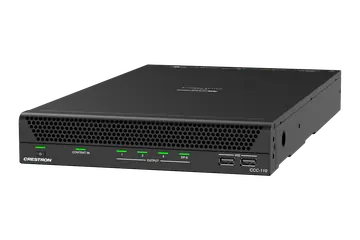 CCC-110-Z
Collab Compute with the Intel Core Ultra 5 for Zoom Rooms Software
€2,242 plus VAT
CCC-110-Z
Collab Compute with the Intel Core Ultra 5 for Zoom Rooms Software
€2,242 plus VAT -
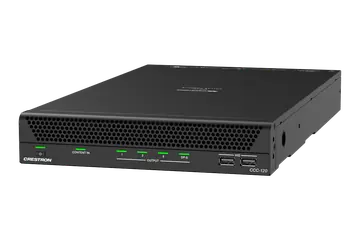 CCC-120-Z
Collab Compute with the Intel Core Ultra 7 for Zoom Rooms Software
€3,222 plus VAT
CCC-120-Z
Collab Compute with the Intel Core Ultra 7 for Zoom Rooms Software
€3,222 plus VAT -
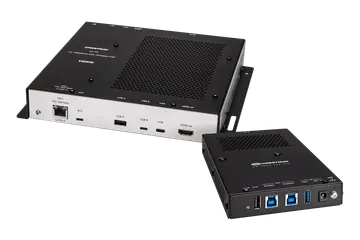 CCC-BYOD-KIT
Collab Compute Bring Your Own Device (BYOD) Kit
€915 plus VAT
CCC-BYOD-KIT
Collab Compute Bring Your Own Device (BYOD) Kit
€915 plus VAT -
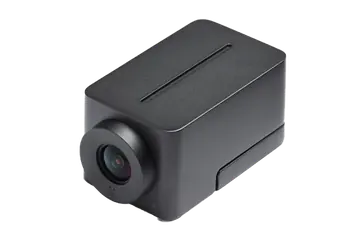 CCS-CAM-USB-F-400
Huddly IQ Collaboration Camera
€123 plus VAT
CCS-CAM-USB-F-400
Huddly IQ Collaboration Camera
€123 plus VAT -
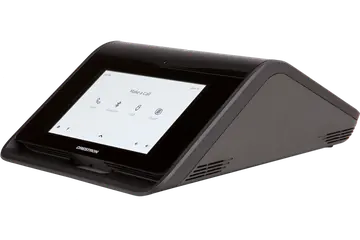 CCS-UC-1-X
Tabletop Conference Device with BYOD for Collab Compute Devices
€1,949 plus VAT
CCS-UC-1-X
Tabletop Conference Device with BYOD for Collab Compute Devices
€1,949 plus VAT -
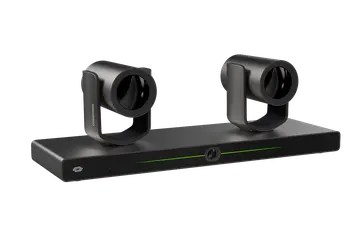 IV-CAM-I12D
1 Beyond i12D Intelligent 4K Dual Camera Speaker Tracking Solution, 12x Optical Zoom, Moon Gray
Price on request
IV-CAM-I12D
1 Beyond i12D Intelligent 4K Dual Camera Speaker Tracking Solution, 12x Optical Zoom, Moon Gray
Price on request -
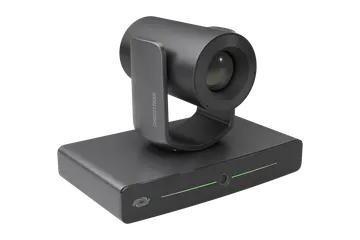 IV-CAM-I20
1 Beyond i20 Intelligent PTZ Camera, 20x Optical Zoom
Price on request Choose version
IV-CAM-I20
1 Beyond i20 Intelligent PTZ Camera, 20x Optical Zoom
Price on request Choose version -
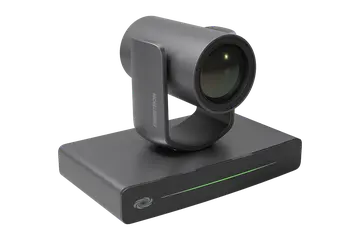 IV-CAM-P12
1 Beyond p12 PTZ Camera, 12x Optical Zoom
Price on request Choose version
IV-CAM-P12
1 Beyond p12 PTZ Camera, 12x Optical Zoom
Price on request Choose version -
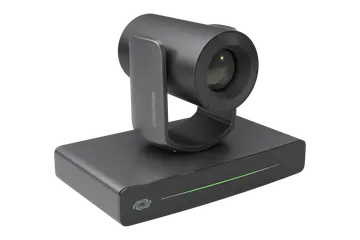 IV-CAM-P20
1 Beyond p20 PTZ Camera, 20x Optical Zoom
Price on request Choose version
IV-CAM-P20
1 Beyond p20 PTZ Camera, 20x Optical Zoom
Price on request Choose version -
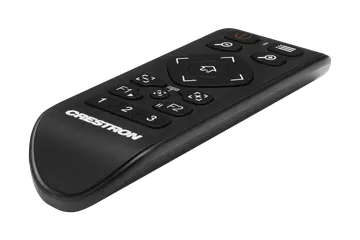 IV-CAMA-REMOTE
1 Beyond IR Camera Remote
Price on request
IV-CAMA-REMOTE
1 Beyond IR Camera Remote
Price on request -
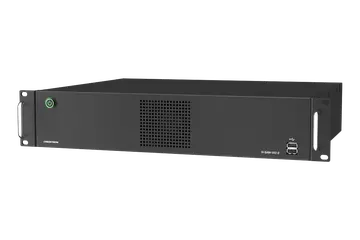 IV-SAM-VX2
Automate VX System Series 2 Voice-Activated, Multi-Camera Switching Solution
Price on request
IV-SAM-VX2
Automate VX System Series 2 Voice-Activated, Multi-Camera Switching Solution
Price on request -
 IV-SAM-VX2-P
Automate VX Pro System Series 2 Voice-Activated, Multi-Camera Switching Solution
Price on request
IV-SAM-VX2-P
Automate VX Pro System Series 2 Voice-Activated, Multi-Camera Switching Solution
Price on request -
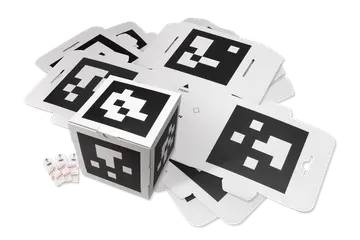 IV-SAMA-AMCUBE-1-12
Automate VX AutoMeasure Cubes
Price on request
IV-SAMA-AMCUBE-1-12
Automate VX AutoMeasure Cubes
Price on request -
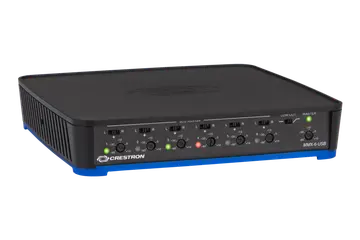 MMX-6-USB
6-Channel USB Microphone Mixer
Price on request
MMX-6-USB
6-Channel USB Microphone Mixer
Price on request -
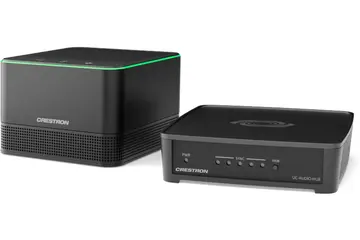 UC-AUDIO-1-B-DR2
Flex Pod Wireless Audio Kit with Hub and Pod, Black
€1,230 plus VAT
UC-AUDIO-1-B-DR2
Flex Pod Wireless Audio Kit with Hub and Pod, Black
€1,230 plus VAT -
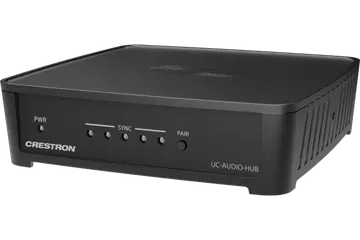 UC-AUDIO-HUB-DR2
Flex Hub Wireless Transceiver
€561 plus VAT
UC-AUDIO-HUB-DR2
Flex Hub Wireless Transceiver
€561 plus VAT -
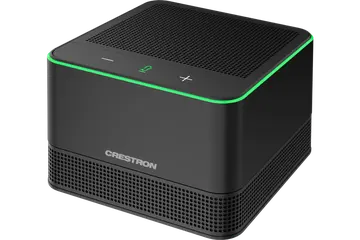 UC-AUDIO-POD-B-DR2
Flex Pod Wireless Speaker and Microphone, Black
€671 plus VAT
UC-AUDIO-POD-B-DR2
Flex Pod Wireless Speaker and Microphone, Black
€671 plus VAT -
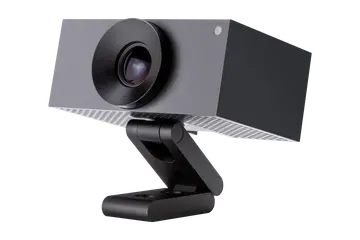 UC-CAM-L1
Huddly L1 AI Collaboration Camera for Large Meeting Rooms
€610 plus VAT
UC-CAM-L1
Huddly L1 AI Collaboration Camera for Large Meeting Rooms
€610 plus VAT -
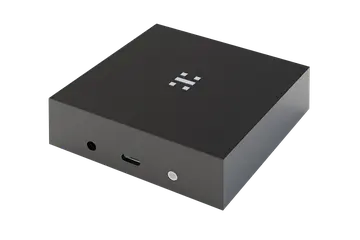 UC-CAMA-ADPT-ENET-USB
USB Plug and Play Camera Adapter for Huddly L1 AI Collaboration Camera
€610 plus VAT
UC-CAMA-ADPT-ENET-USB
USB Plug and Play Camera Adapter for Huddly L1 AI Collaboration Camera
€610 plus VAT -
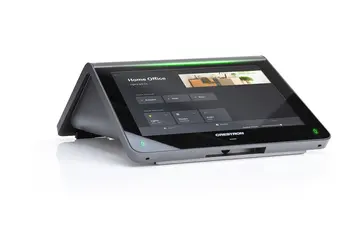 UC-MM30
Tabletop Conference Device for Crestron Home OS, International
Price on request
UC-MM30
Tabletop Conference Device for Crestron Home OS, International
Price on request -
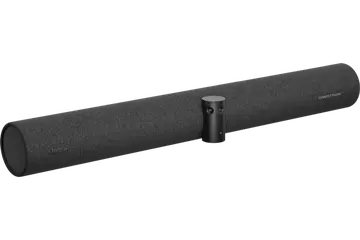 UC-SB-P50
Jabra PanaCast 50 Intelligent Video Bar for Crestron Flex Systems
€1,450 plus VAT
UC-SB-P50
Jabra PanaCast 50 Intelligent Video Bar for Crestron Flex Systems
€1,450 plus VAT -
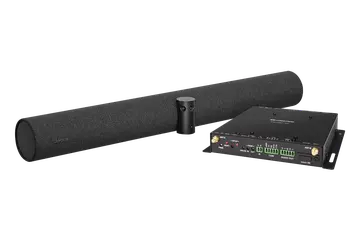 UC-SB-P50-AM-WF
AirMedia Series 3 Conferencing System with AM-3200-WF-I and Jabra PanaCast 50 Video Bar, International
€3,222 plus VAT
UC-SB-P50-AM-WF
AirMedia Series 3 Conferencing System with AM-3200-WF-I and Jabra PanaCast 50 Video Bar, International
€3,222 plus VAT -
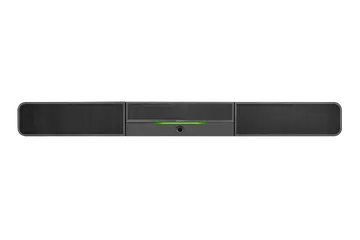 UC-SB1-CAM
UC Video Conference Smart Soundbar & Camera
€1,030 plus VAT
UC-SB1-CAM
UC Video Conference Smart Soundbar & Camera
€1,030 plus VAT -
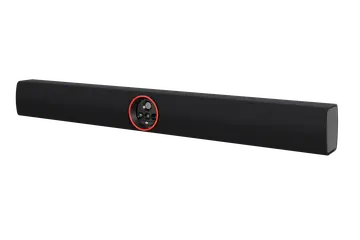 UC-SB2-CAM-A-Z
Flex All-In-One Videobar 70 for Zoom Rooms Software, International
€4,415 plus VAT
UC-SB2-CAM-A-Z
Flex All-In-One Videobar 70 for Zoom Rooms Software, International
€4,415 plus VAT -
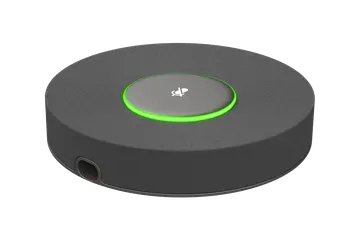 UCA-B70-MIC
Videobar 70 Primary Extension Microphone Pod
€275 plus VAT
UCA-B70-MIC
Videobar 70 Primary Extension Microphone Pod
€275 plus VAT -
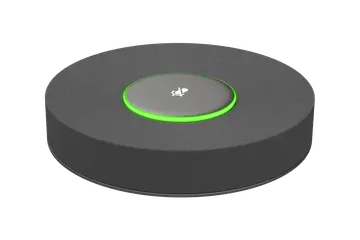 UCA-B70-MIC-AUX
Videobar 70 Companion Extension Microphone Pod
€275 plus VAT
UCA-B70-MIC-AUX
Videobar 70 Companion Extension Microphone Pod
€275 plus VAT
Should I choose a videobar or a Collab Compute system?
A videobar puts the cameras, microphones, speakers and meeting software in one front-of-room device. The Crestron Flex UC-SB2-CAM Videobar 70 runs Microsoft Teams Rooms (the UC-SB2-CAM-A-Z runs Zoom Rooms) and has a quad camera with a 20 MP main camera, a 24 mic array, dual 10 W speakers and outputs for up to two 4K displays. The UC-B70 kit adds a 10 in. touch screen, a PoE injector and cables.
A Collab Compute system uses a dedicated room computer instead. The CCC-110 (Intel Core Ultra 5) and CCC-120 (Intel Core Ultra 7) run Teams Rooms or Zoom Rooms on Windows 11 Enterprise IoT, with four USB 3 ports for cameras, microphones and DSPs, HDMI and DM content inputs, and a PoE+ port for the touch screen.
The videobar keeps a medium or large room simple. Collab Compute suits rooms where you want to choose the camera and audio separately, need a DM input, or, on the Zoom versions, drive a third display.
Which camera or audio device suits my room?
- Small rooms: the UC-2-T-V tabletop device gives a Collab Compute room a 7 in. touch screen and speakerphone with a 3 m pickup. The UC-SB1-CAM soundbar pairs a speakerphone with a Huddly IQ camera over USB, and the Jabra PanaCast 50 (UC-SB-P50) gives a 180° three-camera view for Crestron Flex systems.
- Larger rooms: the Huddly L1 (UC-CAM-L1) has a 103° view from a 1 in. sensor. The 1 Beyond p12 and p20 are PTZ cameras with 12x and 20x optical zoom, and the IV-CAM-I12 and i20 add visual AI that frames groups or follows a presenter automatically. The i12D tracks whoever is speaking with two 4K PTZ cameras.
- Multi-camera rooms: Automate VX switches between 1 Beyond cameras by voice, with 3 SDI or 5 NDI|HX cameras on the IV-SAM-VX2 and 7 SDI or 12 NDI|HX on the Pro.
- Audio: Crestron Flex Pods link wirelessly to a hub over DECT, with up to four pods per hub. The MMX-6-USB mixes six wired microphones into a USB audio feed.
How does a Crestron Teams Rooms system fit together?
In a Collab Compute room, the computer stands freely or fixes to a table or wall with the CCCA-CMK-110/120 bracket. Displays connect by HDMI, and the camera, microphones and DSP by USB. A CCS-UC-1 or UC-2-T-V tabletop device plugs into the PoE+ port and configures itself automatically, showing the Teams or Zoom interface, and TS(W)-1080-UC touch screens are also supported.
Wired content comes in through the HDMI input or from a DM Essentials transmitter on the DM input. For guests who want to run their own meeting platform, the CCC-BYOD-KIT switches the room to the laptop's platform when it is connected and back to the room system when it is unplugged, and charges the laptop at up to 60 W over USB Type-C.
Across the estate, XiO Cloud provides provisioning, management and alerts (the service is available separately), and Collab Compute can also be integrated with a Crestron control system.
What should I check when replacing or adding conferencing equipment?
- Platform: Collab Compute and Videobar 70 models are built for either Microsoft Teams Rooms or Zoom Rooms, so match the version (for example CCC-110-T or CCC-110-Z) to the room.
- Power: 1 Beyond p12, p20, i12 and i20 cameras take PoE (IEEE 802.3af Class 3) or a PW-1225DU power pack. The CCS-UC-1 takes PoE+ (Class 4) or its included power pack, and the i12D runs from a PW-2420RU.
- Mounting: the p12 and p20 include a universal bracket, the i20 and i12D include a wall bracket, and the i12 needs a mounting accessory bought separately. The Videobar 70 has an integrated wall bracket, with UC-SB2-TTK tabletop and UC-SB2-DMK display kits available.
- Cabling: the Videobar 70 microphone pods use USB-C shaped connectors that carry A2B audio and power. They are proprietary and not USB compliant, so use the 10 m cable supplied.
- Finish: 1 Beyond cameras come in Moon Gray or Bright White, and some have a Government version.
Need it installed? Our Crestron certified engineers install, set up and programme everything we supply. A 4 hour visit is €440 and a full day €880, plus VAT.
Prefer to talk? Dublin 01 906 9326 Cork 021 202 8107 WhatsApp us
Crestron installed by 1Install
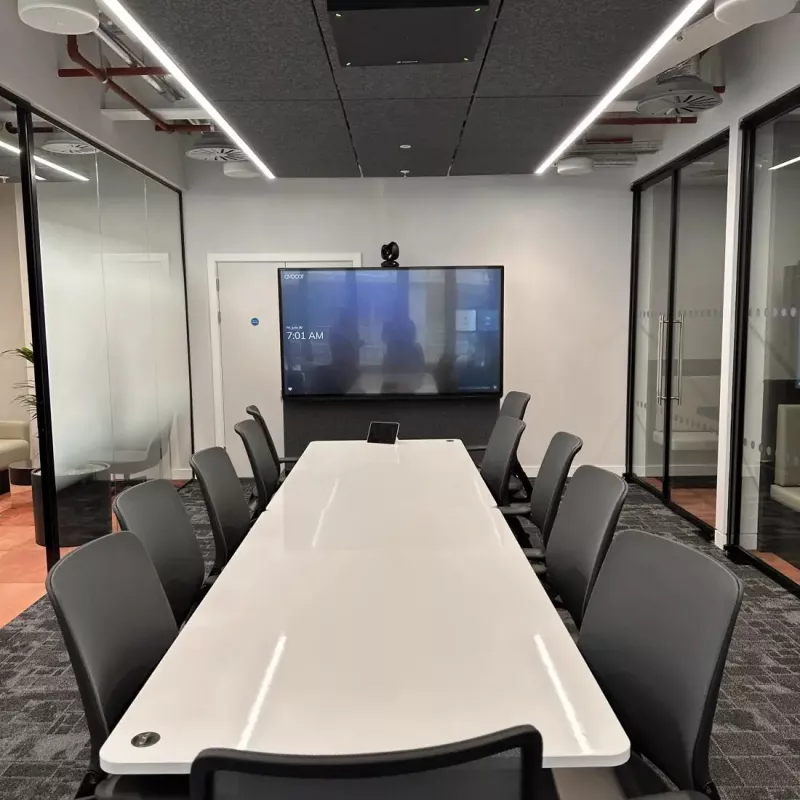
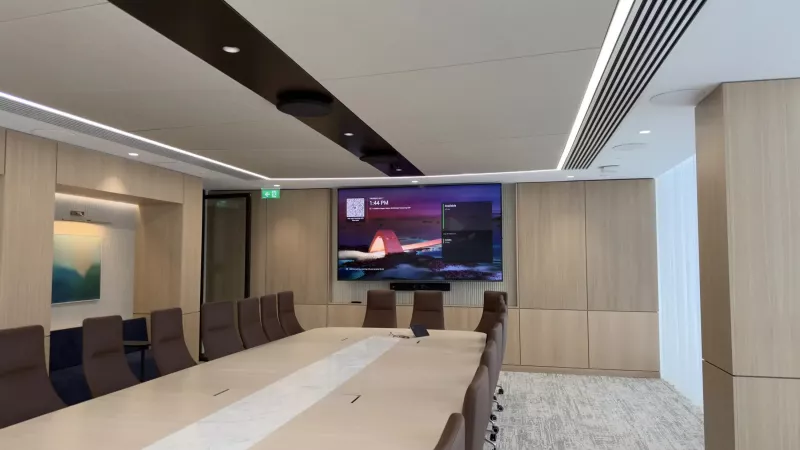
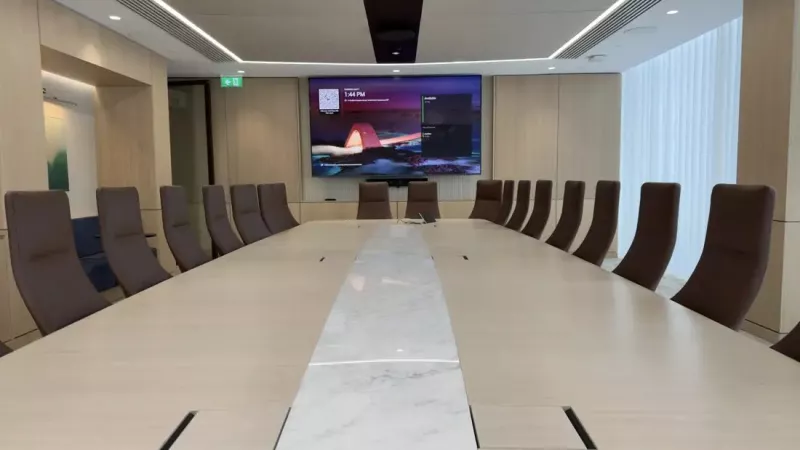
We supply, install and programme Crestron in homes and businesses across Ireland. These photos are from our own installations. See more in our projects, or budget a whole system with our Quote Builders for homes and meeting rooms.
Questions about Crestron video conferencing and Microsoft Teams Rooms
What is the difference between the CCC-110 and the CCC-120?
Both are Crestron Collab Compute room computers with 32 GB of DDR5 memory, 256 GB of storage and Windows 11 Enterprise IoT Edition. The CCC-110 uses an Intel Core Ultra 5 125H processor and the CCC-120 uses an Intel Core Ultra 7 155H, which Crestron describes as an AI-ready and scalable platform. Each comes in Teams Rooms and Zoom Rooms versions.
What do the -T and -Z versions of Collab Compute mean?
The -T models (CCC-110-T and CCC-120-T) run Microsoft Teams Rooms software and support single or dual displays. The -Z models (CCC-110-Z and CCC-120-Z) run Zoom Rooms software and support up to three displays. Otherwise the listed hardware is the same, with four rear USB 3 ports, HDMI and DM inputs, Wi-Fi 7 and a PoE+ port for a touch screen.
What is included in the UC-B70 kit?
The UC-B70 is a Crestron Flex kit for medium to large Teams Rooms spaces. It includes the TS-1070-B-S-T-A 10 in. touch screen, the UC-SB2-CAM-A-T-I Videobar 70, a PWE-4803RU PoE injector, a CBL-CAT5E-7 network cable, a DM-CBL-ULTRA-PC-20 patch cable and three HDMI cables. The UC-B70-A-Z is the equivalent kit for Zoom Rooms.
How can I extend microphone coverage on the Videobar 70?
Add a UCA-B70-MIC primary extension pod, which connects directly to the bar with its 10 m cable and extends pickup by 2.3 m. A UCA-B70-MIC-AUX companion pod can then daisy-chain from the primary pod to cover another area. Both pods are powered from the bar, have a mute button, and need no configuration or programming.
Which touch screens work with Collab Compute?
Each Collab Compute supports up to three TS(W)-1080-UC touch screens, sold separately, and has a PoE+ port for one of them. The CCS-UC-1 and UC-2-T-V tabletop devices combine a 7 in. touch screen with a speakerphone, and configure themselves automatically when plugged into the Collab Compute PoE+ port, showing the Teams or Zoom Rooms interface.
What is the difference between the 1 Beyond p12 and i12 cameras?
Both are PTZ cameras with 12x optical zoom, up to 256 presets and output up to 1080p60 over 3G-SDI and HDMI, powered by PoE. The p12 is a conventional PTZ camera and comes with a universal bracket. The i12 adds a dual camera design with visual AI for group framing, presenter tracking and intelligent switching, and needs a mounting accessory bought separately.
What does Automate VX do?
Automate VX is a voice-activated system that switches between Crestron 1 Beyond cameras to show whoever is speaking, with visual AI framing. The IV-SAM-VX2 handles 3 SDI or 5 NDI|HX cameras plus one USB camera, and the IV-SAM-VX2-P Pro handles 7 SDI or 12 NDI|HX. Both can stream over RTMP and record to a 316 GB internal drive.
Can visitors join meetings from their own laptop?
Yes. The Videobar 70 supports bring your own device over HDMI and USB-C. In Collab Compute rooms, the CCC-BYOD-KIT switches the room to the laptop's own meeting platform when it is connected, by HDMI or USB Type-C, and back when it is disconnected. The CCS-UC-1-X tabletop device adds HDMI and USB laptop inputs for use with that kit.
Why are some Crestron prices shown and others on request?
Where Crestron publishes an advertised price in Ireland, we show it, before VAT and including VAT. For other products Crestron asks dealers to give the price directly, so add them to your quote list and we will send a written quote.
Can 1Install install and programme these Crestron products?
Yes. 1Install is an authorised Crestron Elite Partner with offices in Skerries, Co. Dublin and Cork. We supply everything in this category on its own or installed and programmed. Visits are €440 for 4 hours or €880 for a full day, plus VAT.