
Crestron room scheduling touch screens sit outside meeting rooms and at shared desks, show with coloured light bars whether the space is free, and work with services such as Microsoft 365, Exchange and Google Calendar. You can buy them in Ireland from 1Install, an authorised Crestron Elite Partner, supplied on their own or installed and programmed.
All 8 products
-
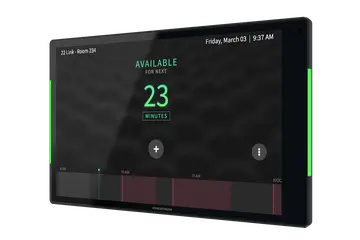 TSS-1080
10.1 in. Room Scheduling Touch Screen
€1,048 plus VAT Choose version
TSS-1080
10.1 in. Room Scheduling Touch Screen
€1,048 plus VAT Choose version -
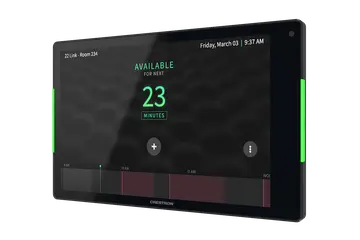 TSS-880
8.1 in. Room Scheduling Touch Screen
€915 plus VAT Choose version
TSS-880
8.1 in. Room Scheduling Touch Screen
€915 plus VAT Choose version -
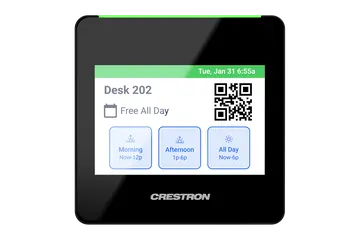 TSS-470E
3.5 in. Desk Scheduling Touch Screen, Black Textured
€366 plus VAT
TSS-470E
3.5 in. Desk Scheduling Touch Screen, Black Textured
€366 plus VAT -
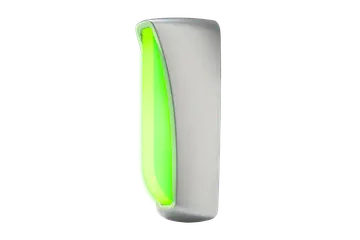 SIW-100-USB
Room Availability Status Indicator, Wall Mount with USB-C Adapter
€263 plus VAT
SIW-100-USB
Room Availability Status Indicator, Wall Mount with USB-C Adapter
€263 plus VAT -
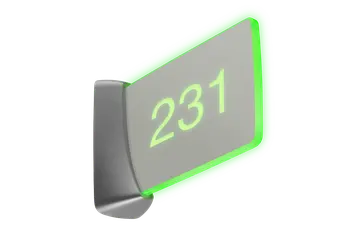 SSW-100-EL-USB
Room Availability Hall Sign, Enhanced Legibility, Wall Mount with USB-C Adapter, Without Engraving
€293 plus VAT
SSW-100-EL-USB
Room Availability Hall Sign, Enhanced Legibility, Wall Mount with USB-C Adapter, Without Engraving
€293 plus VAT -
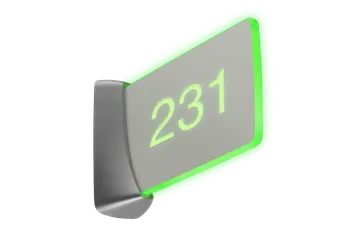 SSW-102-EL-USB
Room Availability Hall Sign, Wall Mount with USB-C Adapter, Includes Custom Engraving
€317 plus VAT
SSW-102-EL-USB
Room Availability Hall Sign, Wall Mount with USB-C Adapter, Includes Custom Engraving
€317 plus VAT -
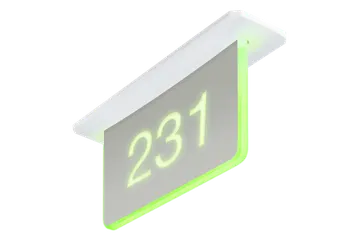 SSC-100-EL-USB
Room Availability Hall Sign, Enhanced Legibility, Ceiling Mount with USB-C Adapter, Without Engraving
€390 plus VAT
SSC-100-EL-USB
Room Availability Hall Sign, Enhanced Legibility, Ceiling Mount with USB-C Adapter, Without Engraving
€390 plus VAT -
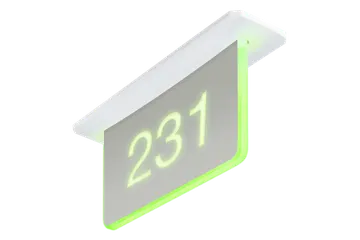 SSC-102-EL-USB
Room Availability Hall Sign, Ceiling Mount with USB-C Adapter, Includes Custom Engraving
€416 plus VAT
SSC-102-EL-USB
Room Availability Hall Sign, Ceiling Mount with USB-C Adapter, Includes Custom Engraving
€416 plus VAT
Which room scheduling panel should I choose?
The TSS-1080 and TSS-880 are room panels with the same features in two sizes. Both have light bars on each side that show red when the room is occupied and green when it is free, can be programmed for other RGB colours, and are visible from the front and the side.
- TSS-1080: 10.1 in. screen at 1920 x 1200, 151 mm high and 246 mm wide.
- TSS-880: 8.1 in. screen at 1280 x 800, 124 mm high and 201 mm wide, and also compatible with Wall-Smart flush wall mount products.
- TSS-470E: a 3.5 in. panel for hotelling desks, with a green, amber or red light bar. Its room mode covers huddle rooms and phone booths, where bookings are shorter.
The TSS-1080 and TSS-880 run the Crestron Scheduling App with Microsoft Exchange Server, Microsoft 365, Google Calendar, G Suite and CollegeNET 25Live, and support various third-party scheduling apps. The TSS-470E integrates with Microsoft 365 and XiO Cloud. The room panels come in black, white or a Government Version.
Do I need a hall sign as well as a door panel?
A panel by the door tells people standing there whether the room is free. In a long corridor, a sign that sticks out from the wall or hangs from the ceiling lets people check several rooms from a distance.
- SIW-100-USB: a compact wall indicator, visible at 15 m, that projects 52 mm from a single-gang box.
- SSW-100-EL-USB and SSW-102-EL-USB: two-sided wall signs, visible at 46 m, projecting 214 mm from the wall.
- SSC-100-EL-USB and SSC-102-EL-USB: two-sided signs that flush mount in a plasterboard or drop-tile ceiling through a 51 x 264 mm cutout, also visible at 46 m.
The 100 versions are supplied without engraving. The 102 versions include custom engraving of one or two lines of text or an icon on each side, with the same design on both sides. Every kit includes a USB-C to USB-A adapter for TSW-80 touch screens.
How does room scheduling fit into a typical system?
Each TSS-1080 or TSS-880 needs one Ethernet cable, which carries 1000 Mbps data and PoE or PoE+ power, and it connects directly to the calendar service the building already uses. Wi-Fi 6E is also built in, and a USB-C 2.0 port accepts room availability accessories.
On the TSS-470E, setup and desk scheduling are managed through the XiO Cloud provisioning and management service. People can reserve a desk in advance from their computer through the calendar resource, or claim a free desk at the panel.
The SIW, SSW and SSC signs take their status from a TSW-70 or TSW-80 series touch screen used for room scheduling. They connect to it by USB 2.0 using the supplied micro B to A cable, and change between green and red with the room status. Alternatively, a sign can run as a Cresnet client on a Crestron control system, where custom behaviour can be programmed, with its Cresnet ID set by a button behind the bezel.
What should I check when replacing or adding a scheduling panel?
- Power budget: the TSS-1080 and TSS-880 are IEEE 802.3at Type 2 devices that request 30 W (PoE+ Class 4) when LLDP is not used, so check the switch port. The TSS-470E needs PoE Class 2 (6.49 W) or the PW-2407WU 24 VDC power pack, sold separately.
- Mounting: the TSS-1080 and TSS-880 are 30 mm deep and surface mount over standard electrical boxes, including 2-gang BS 4662 and DIN 49073 boxes. Each TSS-470E needs a mounting option bought separately: wall, retrofit, tabletop or multisurface.
- Signs: a TSW-80 panel needs the USB-C to USB-A adapter, which is in every sign kit and can also convert an older SIW, SSW or SSC sign.
- Finish and version: match black, white or the Government Version to the rest of the building.
- Accounts: have the room or desk calendar resources ready so each new panel can be linked to its space.
Need it installed? Our Crestron certified engineers install, set up and programme everything we supply. A 4 hour visit is €440 and a full day €880, plus VAT.
Prefer to talk? Dublin 01 906 9326 Cork 021 202 8107 WhatsApp us
Crestron installed by 1Install
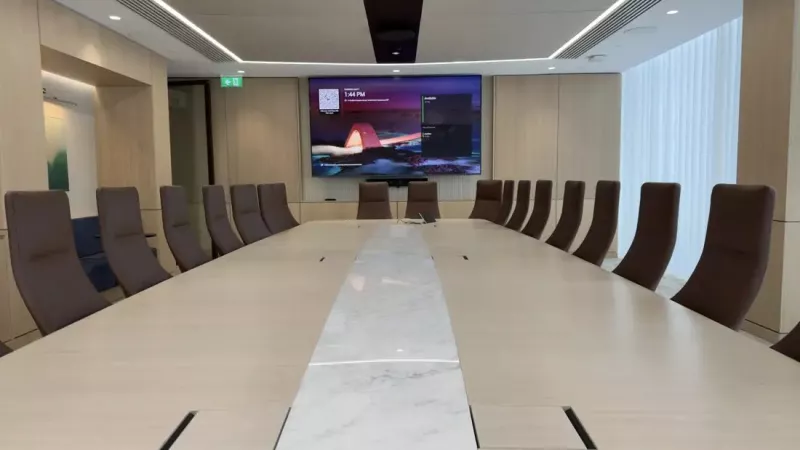
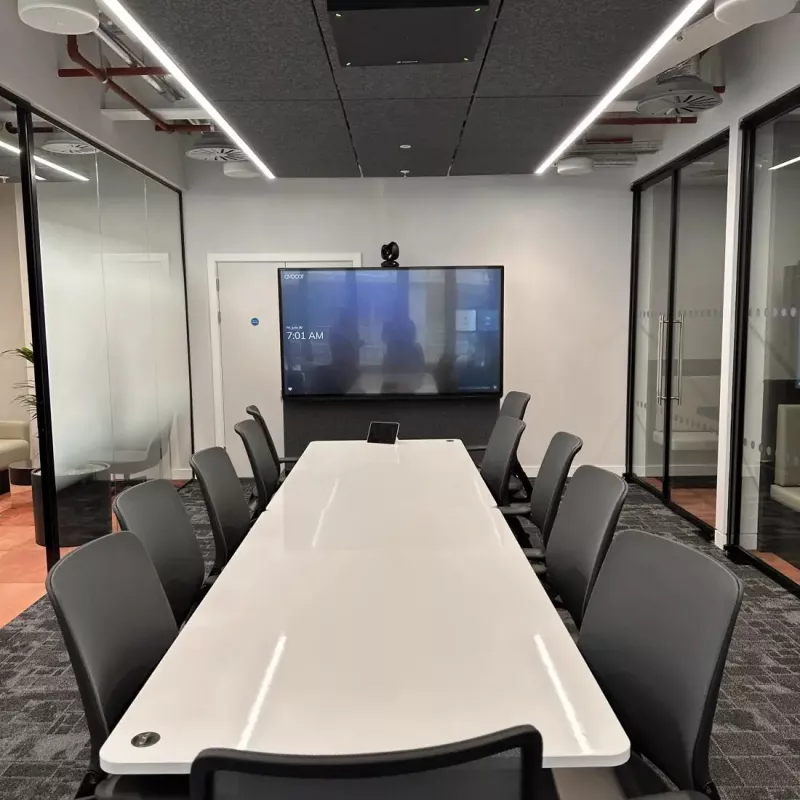
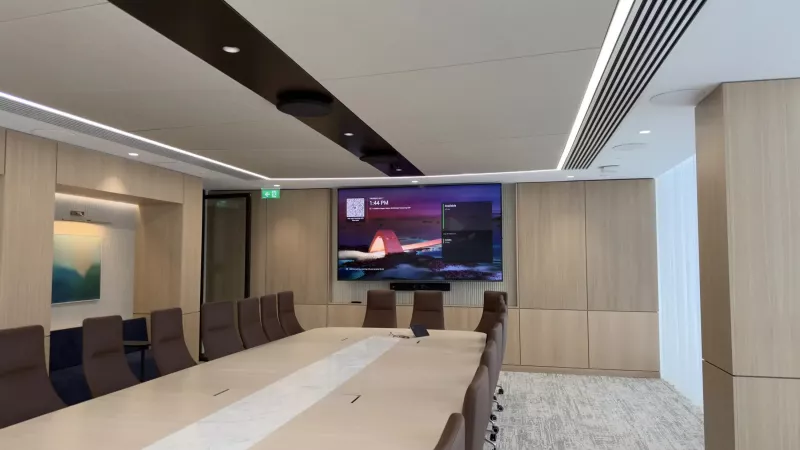
We supply, install and programme Crestron in homes and businesses across Ireland. These photos are from our own installations. See more in our projects, or budget a whole system with our Quote Builders for homes and meeting rooms.
Questions about Crestron room scheduling touch screens and signs
What is the difference between the TSS-1080 and the TSS-880?
They share the same scheduling features: side light bars, the Crestron Scheduling App, PoE or PoE+ power, 1000 Mbps Ethernet, Wi-Fi 6E and a USB-C port for room availability accessories. The TSS-1080 has a 10.1 in. 1920 x 1200 screen and is 151 mm high. The TSS-880 has an 8.1 in. 1280 x 800 screen, is 124 mm high and also suits Wall-Smart flush mounts.
Which calendar systems do Crestron scheduling panels work with?
The TSS-1080 and TSS-880 run the Crestron Scheduling App, which works with Microsoft Exchange Server, Microsoft 365, Google Calendar, G Suite and CollegeNET 25Live. Various third-party scheduling apps are also supported. The TSS-470E desk panel integrates with Microsoft 365 and the XiO Cloud service, and also supports various third-party scheduling apps.
What is the TSS-470E used for?
It is a 3.5 in. touch screen for desk scheduling. Placed at a shared hotelling desk, it shows whether the desk is free and displays reservation details, with a light bar that glows green, amber or red. A room mode also covers ancillary spaces such as huddle rooms and phone booths, where bookings tend to be shorter.
How are the TSS-1080 and TSS-880 powered?
A single Ethernet cable provides both 1000 Mbps networking and power. The panels accept PoE or PoE+ and, as IEEE 802.3at Type 2 powered devices, request 30 W (PoE+ Class 4) from the source when LLDP is not used. Make sure the network switch or injector can deliver that on each port serving a panel.
Does the TSS-470E come with a mount?
No. Crestron states that each TSS-470E needs a mounting option bought separately. The options are a wall mount kit (TSS-470E-WMK), a 2-gang retrofit mounting bracket (TSS-470E-RMB-2G), a tabletop kit (TSS-470E-TTK-B-T) and a multisurface mount kit (TSS-470E-MSMK-B-T), so choose the one that suits the desk or wall where it will sit.
What is the difference between the 100 and 102 versions of the hall signs?
The SSW-100-EL-USB and SSC-100-EL-USB kits are supplied without engraving. The SSW-102-EL-USB and SSC-102-EL-USB kits include custom engraving, which allows one or two lines of text or a graphical icon on each side of the two-sided acrylic face, with the same design on both sides. Replacement acrylic sign faces are also listed separately.
Which touch screens do the SIW, SSW and SSC signs work with?
They connect over USB 2.0 to TSW-70 and TSW-80 series touch screens used for room scheduling. A TSW-80 screen needs the ADPT-USB-USB-RA USB-C to USB-A adapter, which is included in each kit. The signs can also run as Cresnet clients on a Crestron control system when custom functions are needed.
How far away can the room availability signs be seen?
Crestron states that the SIW-100-USB wall indicator is clearly visible at 15 m (50 ft). The SSW wall signs and SSC ceiling signs have enhanced legibility and are clearly visible at 46 m (150 ft), and their two-sided acrylic faces can be read from either direction along a corridor.
Why are some Crestron prices shown and others on request?
Where Crestron publishes an advertised price in Ireland, we show it, before VAT and including VAT. For other products Crestron asks dealers to give the price directly, so add them to your quote list and we will send a written quote.
Can 1Install install and programme these Crestron products?
Yes. 1Install is an authorised Crestron Elite Partner with offices in Skerries, Co. Dublin and Cork. We supply everything in this category on its own or installed and programmed. Visits are €440 for 4 hours or €880 for a full day, plus VAT.