The cheapest time to make a house smart is before the walls are closed. If the cables, back boxes and equipment space are agreed before first fix, lighting control, whole home Wi-Fi, music, blinds and security cost far less, and look far neater, than adding them after you move in.
This guide is for anyone building their own home in Ireland. It covers when to start, what to wire in each room, how to protect your air tightness test, and how your electrician and smart home installer should share the work. You do not need to choose every product now: a good cable plan keeps your options open.
When to start planning
Ideally as soon as you have planning permission, and before your electrician prices the job. The smart home design should be finished before first fix begins, so cable routes, back box positions and the equipment location are on the drawings your builder and electrician work from. A change at this stage takes a few minutes with a pen. A change after plastering means chasing walls, dust and delays.
Choose one central equipment location
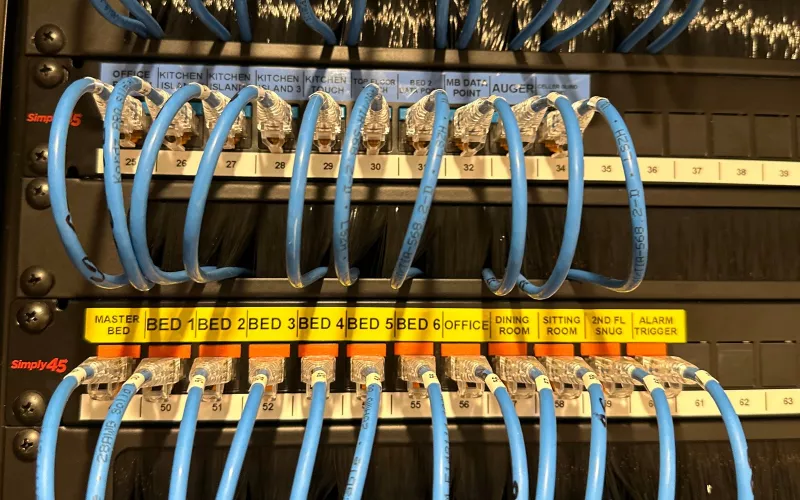
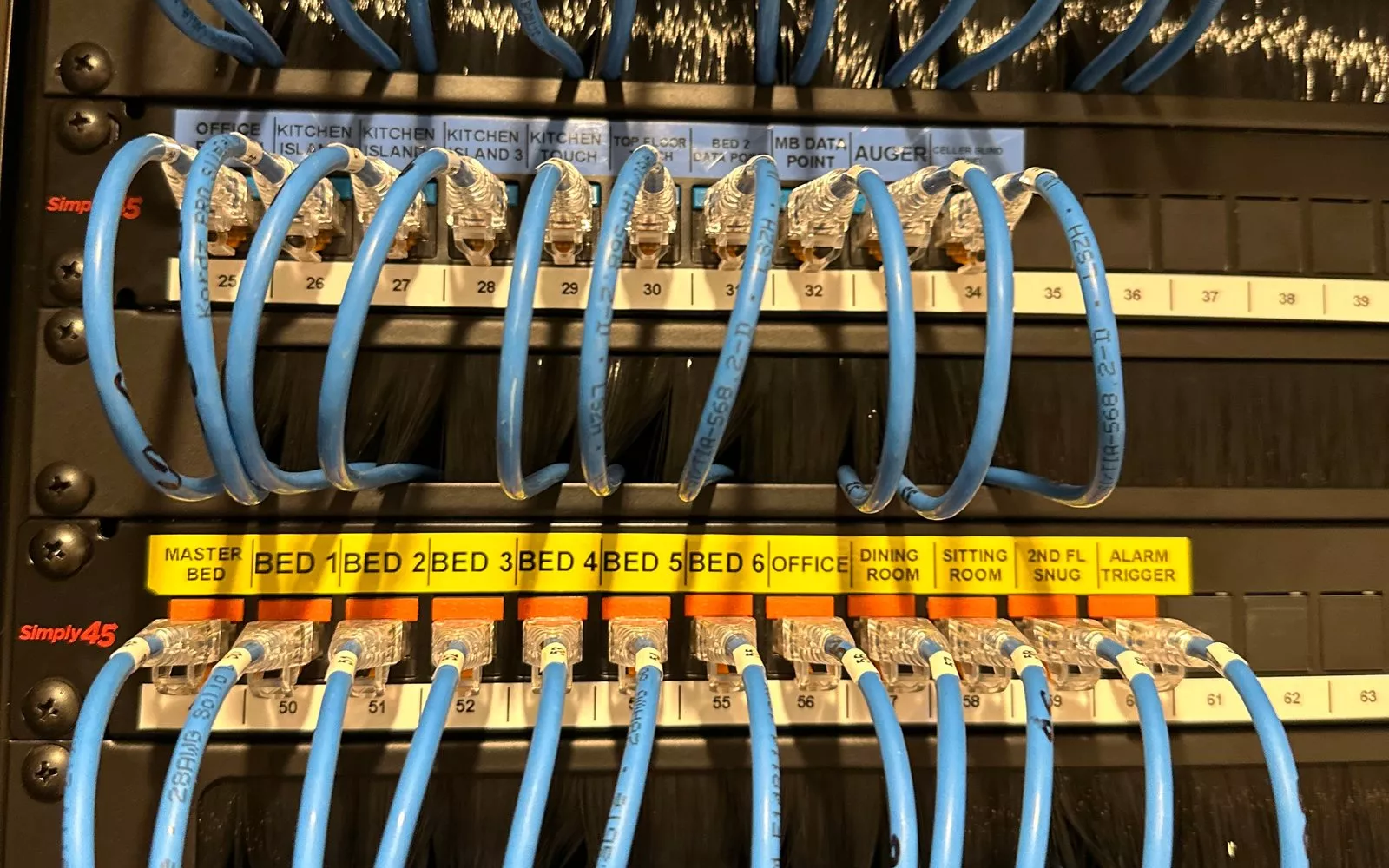
Almost every cable in a smart home runs back to one place: a small comms cupboard or plant room that holds the broadband router, network switch, Wi-Fi controller, amplifiers and the control system. Plan it early.
- Keep it cool. Electronics produce heat and dislike it, so do not use the hot press. A ventilated cupboard under the stairs, a corner of the utility room or a well ventilated plant room all work well.
- Give it power. Ask your electrician for dedicated sockets on their own circuit.
- Bring the broadband in. Run a duct from where the fibre or broadband line enters the house to this cupboard.
- Leave room to grow. An equipment rack with spare space costs little more now and saves a lot later.
The first fix checklist, room by room
Use this as the starting point for a conversation with your designer and electrician. Exact positions come from your drawings.
| Where | What to run at first fix | Why |
|---|---|---|
| Every TV position | Two data cables (Cat6), sockets, and a duct back to the equipment cupboard | Reliable streaming, and new cables can be pulled through later as standards change |
| Ceilings on every floor | A data cable to each Wi-Fi access point position | Strong Wi-Fi in every room, with the access points powered through the cable |
| Living areas, kitchen and bedrooms | Speaker cable from each ceiling speaker position back to the equipment cupboard | Music in every room from one system, with no boxes on show |
| Light switch positions | Deeper back boxes and a neutral at every switch, or lighting circuits wired back to a central point | The full choice of smart keypads and dimmers |
| Windows with blinds or curtains | Power, and a data cable where needed, at the head of each window | Hidden wiring for motorised blinds and curtains |
| Cinema or media room | Speaker cables, power, data and a duct at the TV or projector position, and power for a motorised screen | A clean, dedicated cinema with no trailing wires |
| Front door and gate | A data cable to the door and gate positions | Video intercom, gate control and a doorbell you can answer from your phone |
| Outside the house | A data cable to each camera position, and speaker cable to the garden | Wired security cameras and music outdoors |
| Garage and outbuildings | A duct with a data cable from the house | Wi-Fi, cameras and control where you need them |
Lighting control: the decision to make first
Lighting is the part of a smart home you use most, and it has the biggest effect on your first fix. There are two approaches.
- Wired, or centralised, lighting control. Each lighting circuit is wired back to dimmer modules in a central cabinet, and slim keypads replace the switches. It is the most robust and flexible option and the right one for many new builds, but it has to be decided before first fix.
- Wireless lighting control. Smart dimmers and keypads fit in the switch positions and talk to each other wirelessly. It suits smaller projects and finished rooms, and it works best with deeper back boxes and a neutral at each switch.
Either way, agree keypad positions with your designer now: by each door, at the bedside, and at the top and bottom of the stairs. Our pages on lighting control in Dublin and Cork explain the systems we install, including Lutron, Crestron, Control4 and Rako.
Wi-Fi in an A rated home
Modern Irish homes are great for comfort but hard on Wi-Fi. Block walls, foil backed insulation boards and energy efficient glazing all weaken the signal, so a single router in the hall rarely reaches the whole house, never mind the garden. The fix is simple at first fix: run a data cable to a ceiling position for an access point on every floor, plus extra points for large open plan areas, the garden, a garage or a home office. Our page on whole home Wi-Fi and networks explains how we design it.
Protect your air tightness test
New homes in Ireland are built to the nearly zero energy building (NZEB) standard, usually an A2 BER, and every new house has its air tightness tested. Each cable that passes through the airtight layer, for example into the attic, out to a camera or through to the garage, is a possible leak.
- Agree cable routes with your builder and air tightness installer before first fix.
- Where the build has a service cavity inside the airtight layer, run cables within it rather than through the membrane.
- Seal every cable that does pass through with the right grommet or tape.
- Where ceiling speakers sit below a cold attic, use speaker back boxes that keep the ceiling airtight and fire rated.
Heating, blinds and the rest of the house
If you want the heating on the same app as your lights and music, agree how the heat pump and room controls will connect before your plumber fits them. Some heat pumps and thermostats work with Crestron and Control4 far better than others, so it is worth checking first. Motorised blinds and curtains need power at the window head unless you choose battery motors, and recessed blinds need a pocket in the ceiling, so decide which windows will have them now, even if you fit the blinds later. Our pages on motorised blinds in Dublin and Cork show what is possible.
Wired or wireless?
Wireless technology has improved enormously, and it is the right answer in a house that is already finished. In a new build, though, cable is inexpensive, reliable and quick to install while the walls are open, so our advice is simple: wire anything that does not move. TVs, access points, cameras, speakers, keypads and the intercom all work better on a cable, and phones, tablets and remotes then use the strong Wi-Fi that those cables make possible.
Who does what: your electrician and your smart home installer
Your registered electrical contractor installs the mains wiring and certifies the electrical installation. Your smart home installer designs the system, produces the drawings and cable schedule, and runs or supervises the low voltage cabling for data, speakers and control, then carries out second fix, programming, testing and handover. The two trades work best when they see the same drawings early.
At 1Install, a self build project follows the steps on our Our Process page: a consultation, a design with drawings and cable schedules, a clear online proposal, first fix and second fix, then handover with everything documented in your client portal. Afterwards, the system can be looked after through 1Install Care.
What does it cost?
Planning at first fix is the most cost effective way to build a smart home, because cable is inexpensive and quick to run while the walls are open. Our smart home cost guide explains what affects the price, and our Quote Builder gives you a room by room budget from your floor plan in a few minutes. A consultation or site survey is €440 plus VAT and covers up to 4 hours with an engineer.
Questions we are often asked
When should I talk to a smart home installer?
Before first fix, ideally while your electrician is pricing the job, so the cable schedule is part of the plan rather than an afterthought.
Can I wire now and choose the system later?
Mostly, yes. Data cables, speaker cables and a well planned equipment cupboard work with any system, so you can run them now and choose the products at second fix. The one decision to make early is wired or wireless lighting control, because it changes how the lighting circuits are wired.
How many Wi-Fi access points will my house need?
Most homes need at least one per floor, with more for large open plan areas, the garden, a garage or a home office. Block walls and foil backed insulation reduce range, so we plan positions from your drawings.
Where should the equipment cupboard go?
Somewhere central, ventilated and easy to reach, with its own power and a duct from where the broadband enters. It should not be the hot press, because heat shortens the life of electronics.
Will smart home cabling affect my air tightness test?
Not if it is planned. Agree routes with your builder, use a service cavity where there is one, and seal every cable that passes through the airtight layer with the right grommet or tape.
Book a consultation or call Dublin on 01 906 9326 or Cork on 021 202 8107. We work on self builds across Ireland from our Dublin and Cork offices.
- Log in to post comments