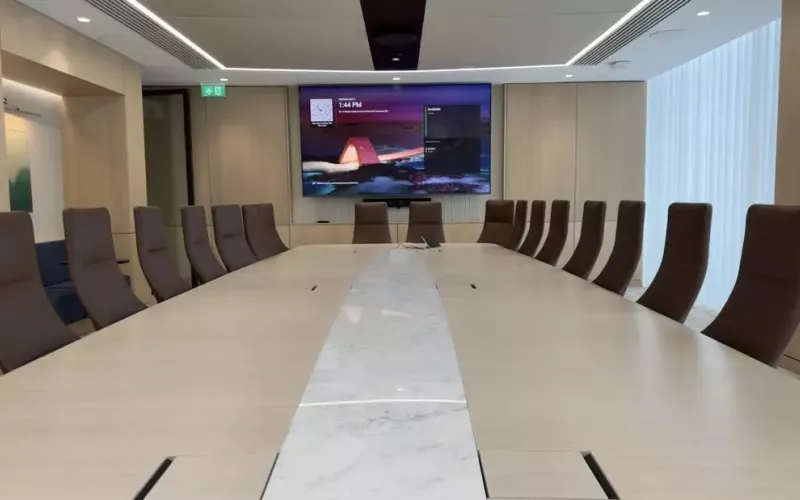
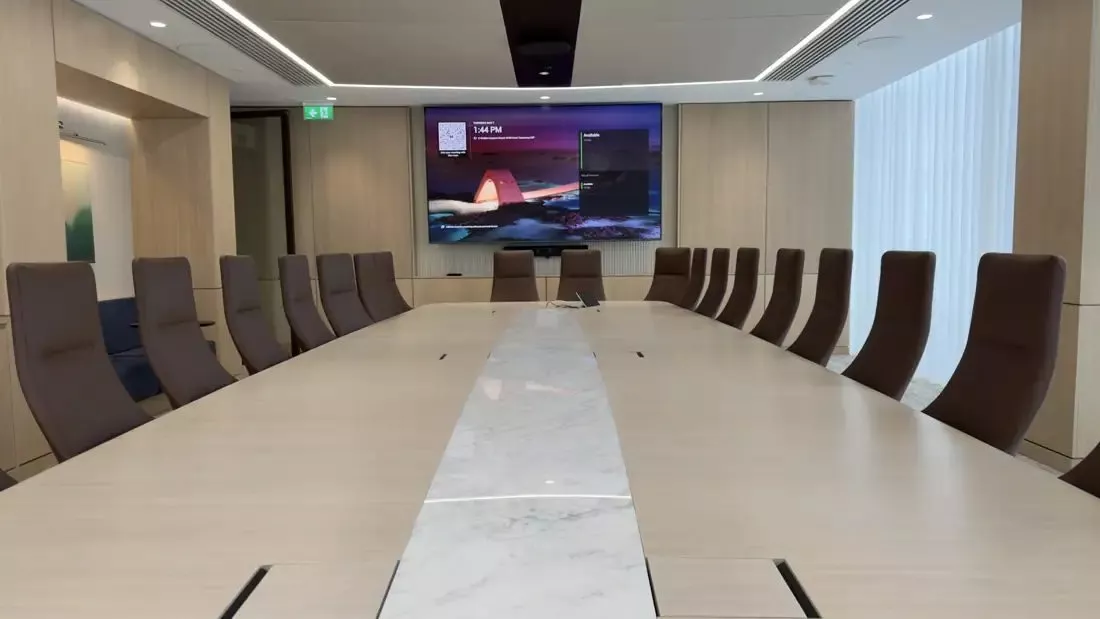
Most Cork offices are best served by Microsoft Teams Rooms on Android for small and mid sized rooms, because an all in one video bar is simple to install and look after, and by Teams Rooms on Windows for the boardroom or training room, where you need more cameras, more microphones and features Android does not have. Deciding that split first makes every other choice easier.
When a Cork business asks us to fit out its meeting rooms, the first question is rarely about brands. It is about which platform each room should run, because that decides the hardware, the cabling and how the rooms are managed for years afterwards. This guide explains the difference in plain terms and shows how it plays out across a typical office.
Teams Rooms on Android and on Windows, in plain terms
Both run Microsoft's Teams Rooms app and look the same to the people using them. The difference is underneath.
- Android systems usually put the computer inside the video bar or board. One box under the screen, one touch panel on the table, and the room is done.
- Windows systems use a small dedicated PC, usually hidden behind the screen or in a cupboard, connected to the cameras, microphones and speakers of your choice.
Where the two differ
Microsoft's Teams device feature comparison lists the differences line by line. Dual screens, Front Row and large gallery layouts and content cameras are available on both. Some things are Windows only, including breakout rooms, spatial audio, sending more than one camera, Miracast and ultra wide 21:9 screens. A few are Android only, such as meeting controls on a touch enabled screen at the front of the room and local pan, tilt and zoom control of the camera. Microsoft also notes that features can reach Windows before Android, so it is worth checking with the hardware maker before buying.
How Microsoft Teams Rooms split across a Cork office
| Room | Platform we usually suggest | Why |
|---|---|---|
| Booth or focus room | Android | A compact bar is all the room needs, with nothing extra to maintain |
| Huddle room | Android | One bar under one screen, quick to install and simple to manage |
| Meeting room for 6 to 10 | Android or Windows | Android if a bar with an extra microphone covers the table, Windows if the room needs ceiling audio |
| Boardroom | Windows | More cameras and microphones, a separate audio processor, wide screens |
| Training or all hands room | Windows | Several cameras, presenter microphones and a room sound system |
Our pages on huddle rooms and video conferencing have more on each type of room.
What else each room needs
Cabling and power
Whatever the platform, every room needs a wired data point behind the screen and at the table, and power where the bar, panel and microphones sit. In a new fit out, these go in at first fix. In an existing office, we use floor boxes, trunking or the ceiling void.
Acoustics
Many Cork offices are in converted buildings on the quays and in the city centre, or in business parks at Mahon, Little Island and Ballincollig with glass fronted rooms. Bare glass and hard floors make calls echo. Acoustic panels are often the cheapest improvement you can make to a room.
The licence
Each room needs a Teams Rooms licence. Rooms with two screens or larger estates generally need the Pro licence, which also gives your IT team remote management of every room.
Planning a new fit out or a move
The best time to decide the platform for each room is before the partitions go up. If your business is moving into a new unit or refitting a floor, send us the layout early. We mark each room as Android or Windows, then give your fit out contractor a simple schedule of what is needed in each one: data points behind the screen and under the table, power at the right heights, a floor box where the table will sit, and a backing board in the wall for the screen bracket.
For a Windows room we also allow a ventilated space for the compute and, in larger rooms, the audio processor. That might be a cupboard at the back of the room or a small rack in a comms room nearby. Getting this into the drawings costs nothing; adding it after the ceiling is finished costs a lot more.
Mixing platforms without confusing people
A common worry is that staff will find different rooms confusing. In practice, the Teams Rooms app looks the same on both platforms, so people tap the meeting on the panel and it starts. What changes is how the rooms are managed, so we label every device, record its settings and hand over a simple room list. If you already have Android devices, our post on checking Teams Rooms on Android 10 and 11 explains which older models to watch, and our article on the Biamp Devio UCX 1000 for Cork rollouts looks at a newly certified bundle for rolling out several rooms.
Our approach in Cork
Our Cork team surveys the rooms and the network, then sends an online proposal with drawings room by room. We supply certified Neat, Logitech and Yealink equipment and sell it outright, so the business owns it. We set up the room accounts, test from every seat and train staff, and 1Install Care keeps the rooms up to date afterwards. See our Teams Rooms installation page for Cork, or price a room in minutes with the Quote Builder.
Questions we are often asked
Is Android or Windows more reliable?
Both are reliable when installed and updated properly. Android has fewer parts in a small room; Windows gives more choice in a large one.
Can we have both platforms in the same office?
Yes, and most offices do. People see the same Teams Rooms screens on both.
Can a boardroom use a video bar instead of ceiling audio?
In a small boardroom, sometimes. Once the table is long, people at the far end sound distant, and ceiling or table microphones fix that.
Do you cover offices outside Cork city?
Yes. Our Cork team covers the city and the county, and travels into Kerry and Waterford.
Can you reuse our existing screens?
Often, yes, if they are the right size and in good condition. We check them at the survey.
If your Cork office is planning new meeting rooms, we will help you decide which rooms suit Android and which suit Windows, and design Microsoft Teams Rooms that are easy to use and to support.
Book a consultation or call our Cork office on 021 202 8107.
- Log in to post comments