Building your own home? Send us your floor plans and we will design your Wi-Fi for free, before a single cable goes in. You get the access point positions marked on your plans, a list of every Cat6 cable to run back to one comms cabinet, and a priced kit list, with no obligation to use us for the installation.
Wi-Fi is the one system every self builder ends up relying on, and the one most often left to chance. The router lands wherever the broadband comes in, an extender goes in at the far end of the house, and the bedrooms upstairs never quite work. A little design before first fix avoids all of that, which is why we now offer it free to self builders.
Why an Irish self build needs its Wi-Fi designed
The things that make a new Irish home warm and quiet are the same things that stop Wi-Fi. Solid block walls, concrete floors, foil faced insulation boards and low emissivity glass all weaken or reflect the signal, so a router that would cover an older house struggles in a modern A rated one. A single box in the utility room or the hall rarely reaches the bedrooms at the far end, let alone the patio, the garage or a garden room.
Wireless extenders and mesh units help, but every wireless hop costs speed and adds another box to go wrong. The reliable answer is a few ceiling mounted access points, each fed by its own Cat6 cable from a central comms cabinet. That cable also powers the access point (Power over Ethernet), so there is no socket to find on the ceiling. It is quick and cheap to run while the walls and ceilings are open, and slow and messy once they are plastered.
What you get, free
- An access point plan. Each access point marked on your floor plans, placed for your layout and for what the house is built from, including any outside areas you want covered.
- A cable list. Every Cat6 run numbered, from the comms cabinet to each access point, so your electrician knows exactly what to pull at first fix.
- A comms cabinet position. Where the cables should all meet, and what that space needs: power, ventilation and room to work.
- A priced kit list. The router, the switch that powers the access points, and the access points themselves, with prices, so you can budget properly.
There is no charge and no obligation. The plan and cable list are yours to use with your own electrician if you prefer.
What we need from you
- Floor plans for every level, as a PDF or clear photos. Sections or elevations help if you have them.
- What the house is built from, if you know: block, timber frame or insulated concrete formwork, concrete or timber upper floors, and the insulation.
- Where your broadband will come in, and whether it will be fibre, fixed wireless or satellite.
- Any garage, home office, garden room or outdoor space you want covered.
- Your build stage, and roughly when first fix is due.
How it works
- Send your plans. Use our contact form: choose Wifi-Network under Service Offering, attach your plans with the Upload File button, and write "Free Wi-Fi design" and your build stage in the description.
- We design it. We place the access points, list the cable runs, choose the comms cabinet position and price the kit.
- You get your plan back. Hand it to your electrician, or ask us to install and set it all up. Either way, you know the Wi-Fi will work before the plasterers arrive.
The form takes one file (PDF, Word, JPG or PNG), so combine your drawings into a single PDF if you can. If they are too big to send, start with the floor plans and we will ask for anything else we need.
When to send your plans
The earlier the better, but it is rarely too late. This is what the design can still change at each stage of the build:
| Build stage | What the design can still do |
|---|---|
| Planning or tender drawings | Everything: the comms cabinet position, the cable routes, and ducts out to a garage, garden room or gate before the groundworks. |
| Before first fix | The best time. Every access point and cable goes exactly where it should, at the lowest cost. |
| During first fix | Still worth doing. We work with what is already pulled and add the runs that are missing. |
| After plastering | Wi-Fi can still be fixed, but new cables mean chasing walls or surface trunking, or relying on wireless links between access points. |
Common Wi-Fi mistakes in new homes
- The router left in the porch. The broadband engineer fits the router where the line comes in. Plan a cable from that point to your comms cabinet, so the router can sit with everything else.
- Extenders instead of cables. Every wireless hop costs speed and adds a box to reset. A cable to each access point is faster and far more reliable.
- No cable to the garden room. Once the lawn is down, getting a cable out to a garden room or garage is a digging job. A duct laid with the groundworks costs very little.
- Access points hidden in cupboards. Access points work best on ceilings, in the open, near where people use their phones and laptops.
- Too few cables. A Cat6 run to each TV position and each desk costs little at first fix and saves a lot of trouble later.
What a finished comms cabinet looks like
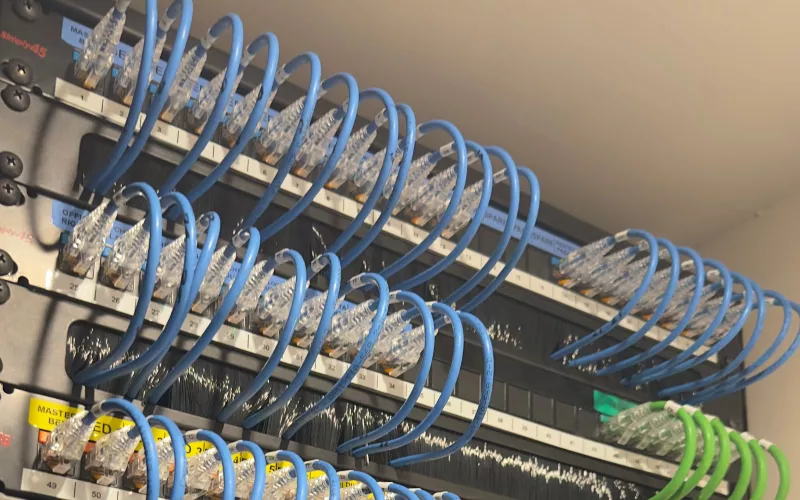
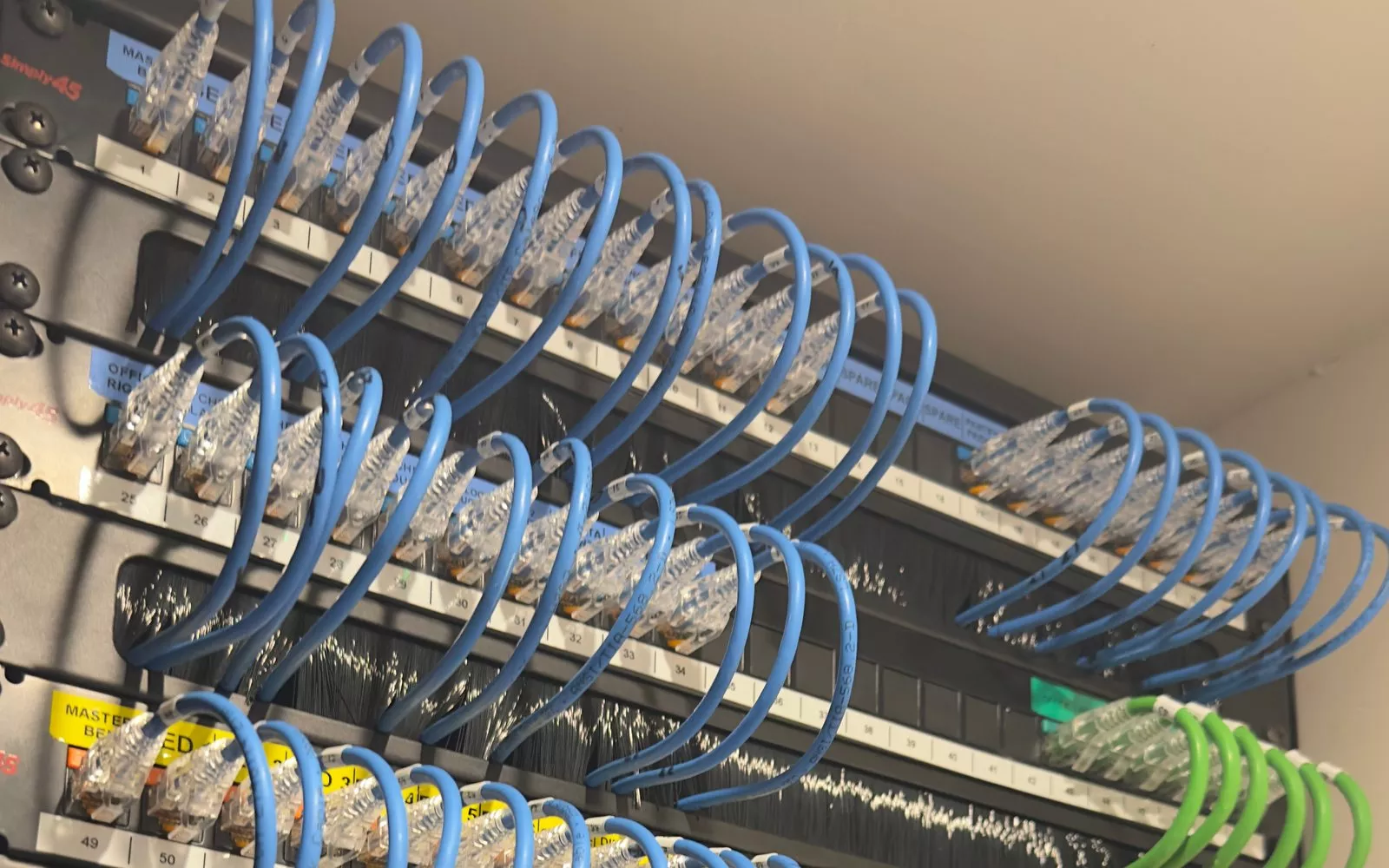
Every cable on your list ends up here. These photos are from one of our installs: each port is labelled by room, so anyone can trace a cable years from now.
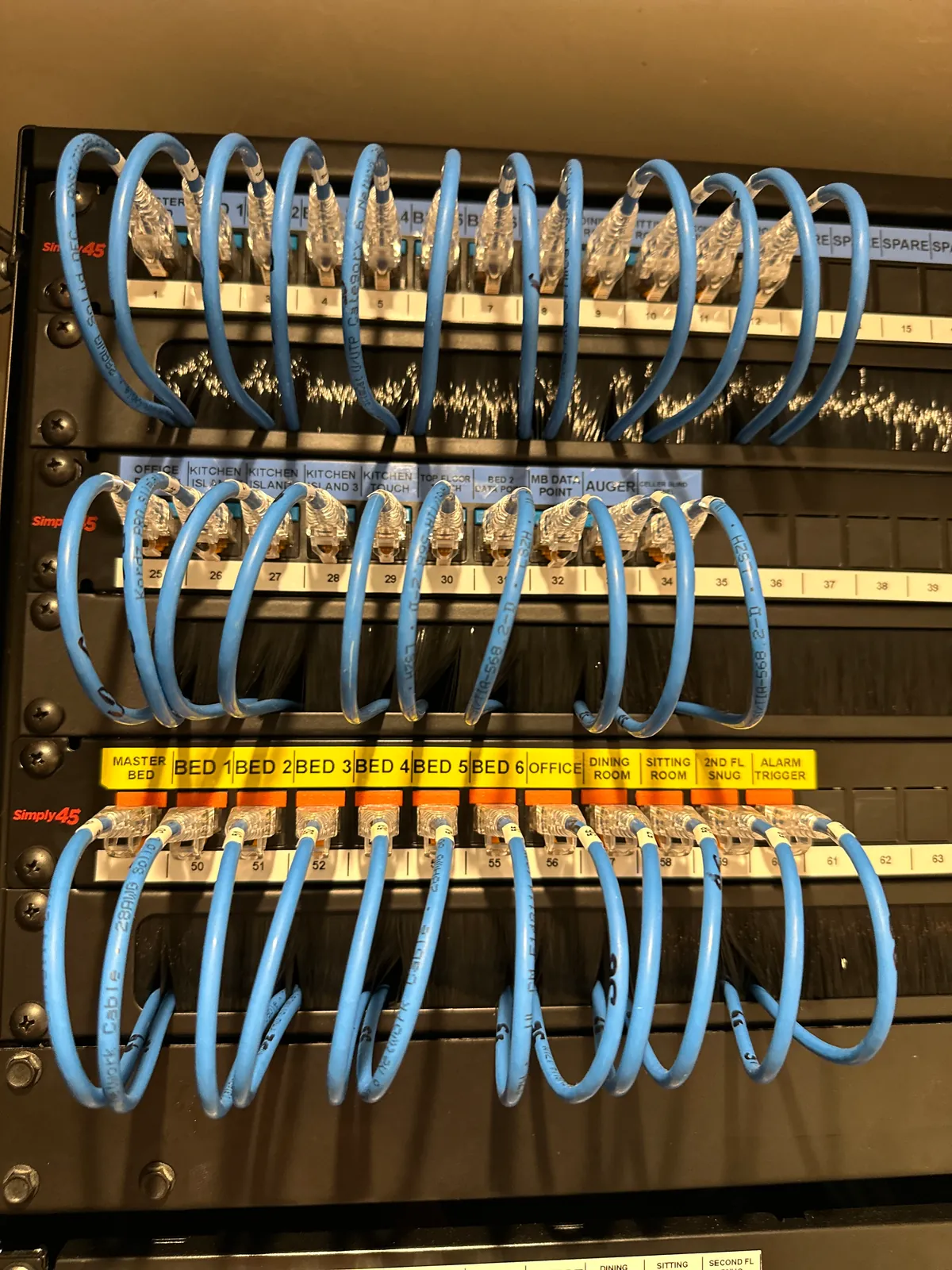
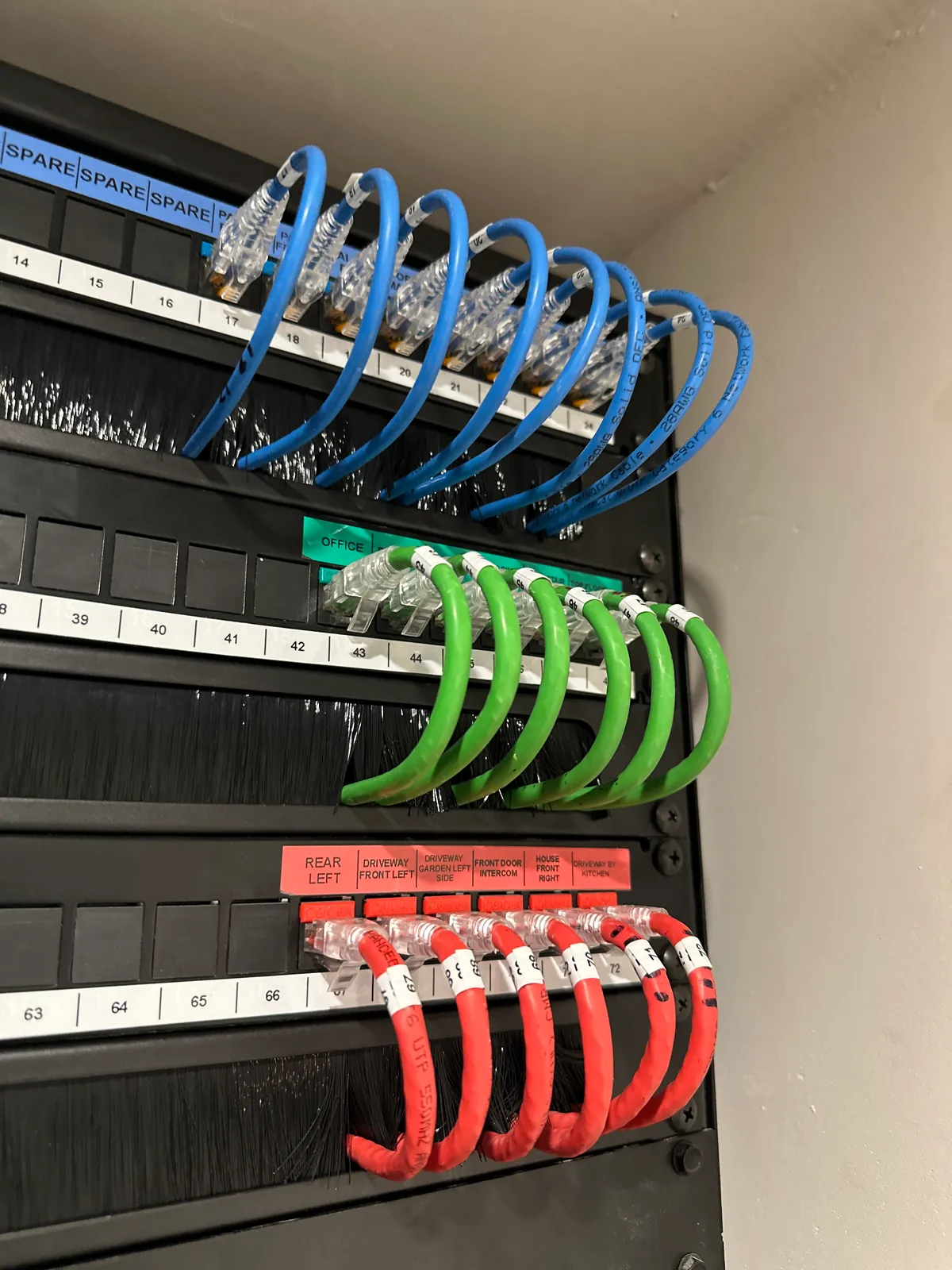
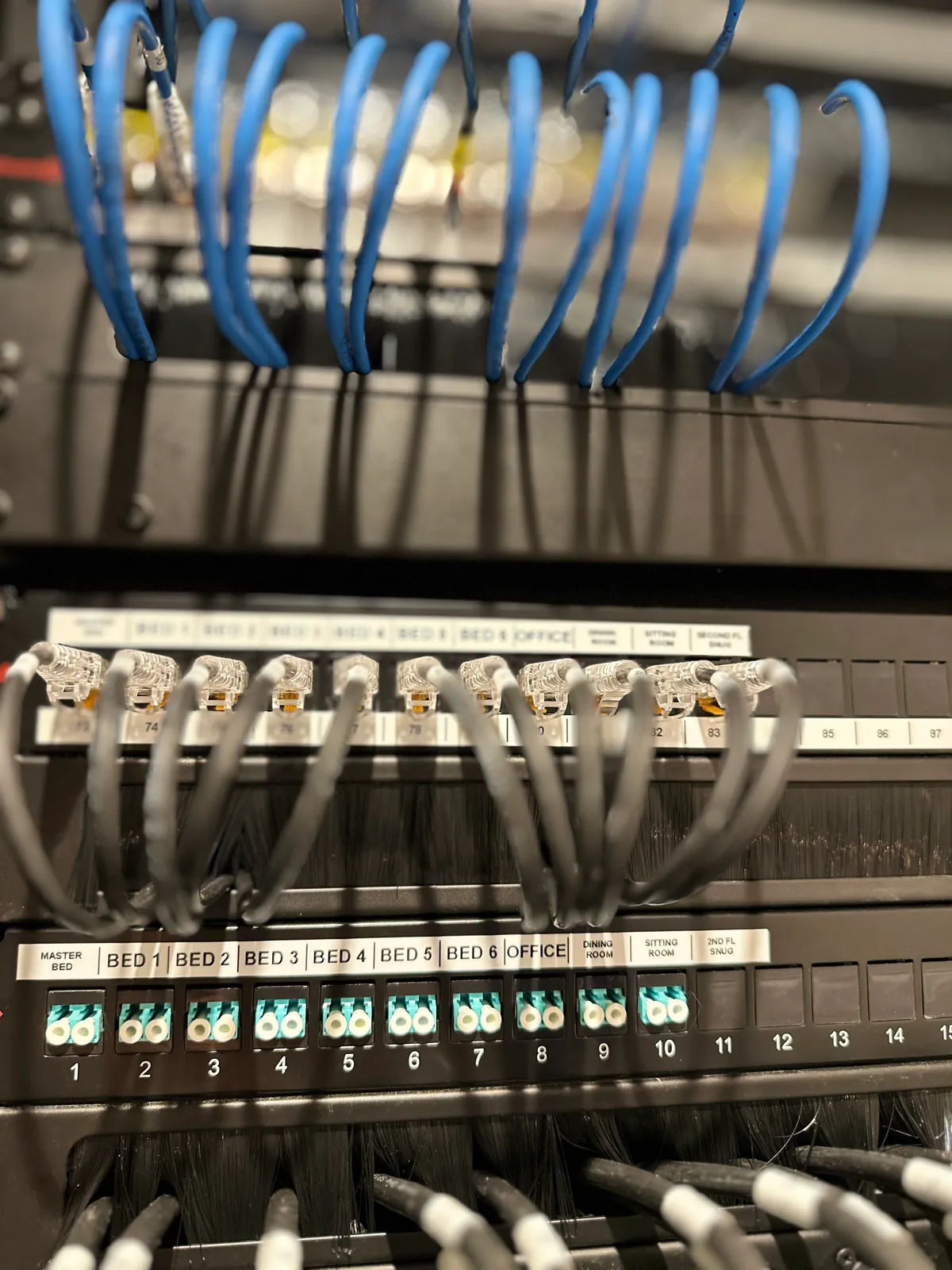
From left: data points labelled room by room, the cameras and front door intercom on their own red leads, and a fibre panel with every room labelled.
Designed by electricians who know smart homes
Our founder, Kieran McGuire, is an electrician, and so are a few of our team. That matters on a self build. The cable list is written the way electricians work, the comms cabinet is planned with its power and space in mind, and nothing on the plan is impossible to run on site. If you would rather we ran the cables ourselves, we can do that too. On a developer's luxury new build, for example, we installed the alarm, lighting and structured cabling, ready for the owners to add more.
We are also a Crestron Elite Partner, and Kieran holds every Crestron certification, so the network we design is ready for more than phones and laptops. The same comms cabinet can later feed home automation for lighting, heating, blinds, music and security, with no rewiring. If you want the whole house planned at once, our survey and design service produces full drawings and a cable schedule for every system, and our first fix checklist covers the rest of the house. For a feel for the wider budget, see what a smart home costs in Ireland.
Questions we are often asked
Is the Wi-Fi design really free?
Yes. We mark the access points on your plans, list the cable runs and price the kit at no cost, with no obligation to buy anything from us.
Can my own electrician run the cables?
Yes. Each access point needs one Cat6 cable back to the comms cabinet, and the cable list says where every run starts and finishes. Kieran and a few of our team are electricians, so the list is written the way electricians work on site.
How many access points will my house need?
It depends on the size and layout of the house and what it is built from. Block walls, concrete floors and foil faced insulation all cut Wi-Fi, so we place access points from your plans rather than guessing a number. You can read more about how we approach Wi-Fi and networks.
Do I need Wi-Fi outside, in the garage or in a garden room?
If you want your phone to work on the patio, a camera at the gate or a proper connection in a garden office, plan it now. We show where an outdoor access point or a duct to an outbuilding should go, so it can go in with the groundworks.
What if my plans change?
Send us the updated drawings and we will update the design. Plans often change between planning and first fix, and it is far easier to move a cable on paper than in a finished ceiling.
Do you install as well?
Yes. Our teams work from Skerries in Co. Dublin and from Cork, and we can supply, install and set up everything on the plan. The priced kit list is the starting point for that quote.
Ready to send your plans? Use the contact form, choose Wifi-Network, attach your floor plans and write "Free Wi-Fi design" in the description.
Book a consultation or call Dublin on 01 906 9326 or Cork on 021 202 8107.
- Log in to post comments