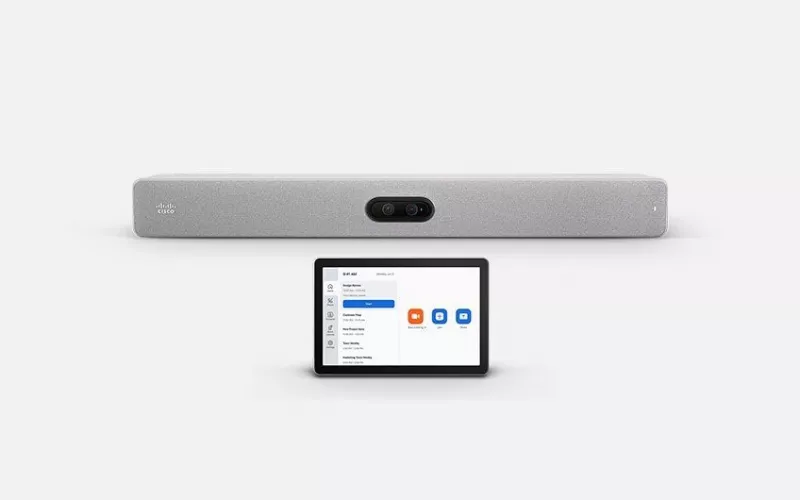
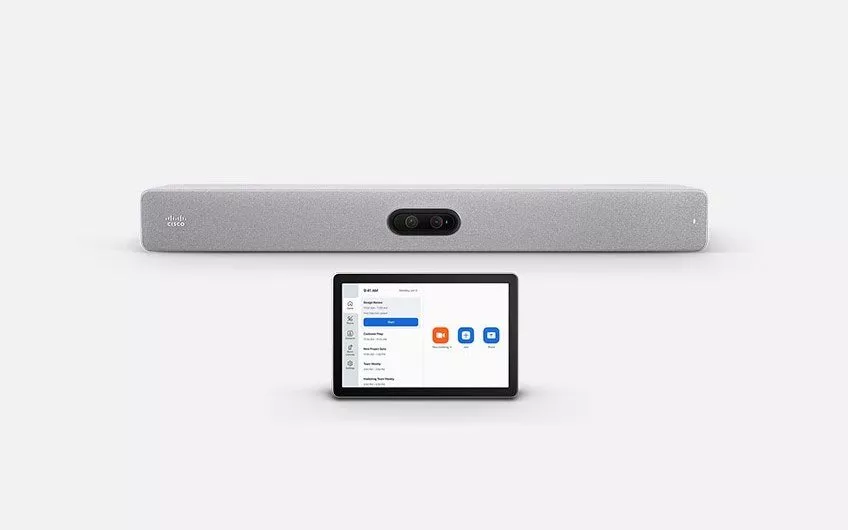
Zoom Rooms on Cisco became generally available with the October 2026 RoomOS release, Cisco said on 2 November 2026, so devices such as the Cisco Room Bar Pro, Room Kit EQ and Board Pro G3 can now be set up as native Zoom Rooms. Cork organisations that use Zoom now have two ways to run it on Cisco hardware, native Zoom Rooms or Zoom for Cisco Rooms, and the right one depends on licences, who manages the rooms and which meetings each room hosts.
Product image: Cisco.
- Native Zoom Rooms on Cisco needs RoomOS 26.10 or later, a Zoom Rooms licence and registration to Cisco Control Hub.
- Zoom for Cisco Rooms, which Cisco announced as generally available on 28 January 2026, runs the Zoom Meetings app inside Cisco RoomOS.
- Zoom for Cisco Rooms has a guest mode that needs no Zoom subscription for the device and a signed in mode that needs a Zoom Rooms licence.
- Cisco's product page says moving a device to native Zoom Rooms means a factory reset and choosing Zoom Rooms in the onboarding wizard.
- The supported devices for native Zoom Rooms include the Room Bar, Room Bar Pro, Room Kit EQ, Room Kit EQX, Room Kit Pro G2, Desk Pro G2 and Board Pro G3.
Two ways to run Zoom Rooms on Cisco hardware
Cisco now offers both options on its Cisco Devices for Zoom Rooms page. The first, Zoom for Cisco Rooms, launches a full featured Zoom app on the Cisco device while the device keeps its Cisco identity. The second, native Zoom Rooms, sets the Cisco unit up as a Zoom Room from the start, with the Zoom Rooms interface and layouts.
According to UC Today, Cisco opened a public beta of the native option in June 2026 and had expected general availability in September 2026 before the date moved to the fourth quarter. Cisco's Webex blog post of 2 November 2026 confirmed that it is now generally available, and AV Interactive covered the news on 3 November 2026 under the headline "Cisco makes native Zoom Rooms experience GA on devices".
How the options compare
| Zoom for Cisco Rooms | Native Zoom Rooms on Cisco | |
|---|---|---|
| What the room shows | The Cisco interface, with Zoom launched as an app | The Zoom Rooms home screen |
| Zoom licence | None in guest mode; a Zoom Rooms licence in signed in mode | A Zoom Rooms licence |
| Main management | Cisco Control Hub | The Zoom Admin Portal, with the device still registered to Control Hub |
| Getting there | Switched on for the device by an administrator | Factory reset and Zoom Rooms chosen in the onboarding wizard |
| Other platforms | Webex, Teams and Google Meet meetings can still be joined | Native Webex, Teams over SIP and Google Meet as a WebRTC guest |
The table is our own summary of Cisco's pages at the time of writing; feature lists change with each RoomOS release, so check the detail for each room.
Which option suits which Cork room
Rooms that mostly join other people's Zoom calls. A sales office near the Docklands or a professional practice on the South Mall that hosts on Webex or Teams but is invited to Zoom by clients is often well served by Zoom for Cisco Rooms in guest mode. Cisco says guest mode includes joining by meeting ID or one button to push, breakout rooms and webinar attendee support, with no Zoom subscription for the device.
Rooms in a Zoom first organisation. Where Zoom is the company platform, native Zoom Rooms puts the Cisco rooms in the same admin portal as every other Zoom Room. Cisco says that portal handles onboarding, configuration, health monitoring, alerts and remote diagnostics for the devices.
Colleges and training spaces. Lecture rooms and education spaces that run Zoom webinars or hybrid classes need to look at the detail. Cisco's known issues page for native Zoom Rooms, updated on 21 October 2026, says Smart Gallery camera framing is not available and that only sources connected directly to the device can be shared. For some teaching rooms those points will decide the mode.
Shared and serviced buildings. Where tenants come and go, a room that can join any platform as a guest may be more useful than one tied to a single company's Zoom account.
What Cork buyers should check before choosing Zoom Rooms on Cisco
- Every device on RoomOS 26.10 or later, since Cisco says RoomOS 11 is not supported.
- The Room Navigator touch panel is one of the 4GB models Cisco lists.
- Zoom Rooms licences budgeted for each native room.
- Network rules that let the device reach both Cisco and Zoom services.
- A pilot room converted and used for a week before the rest.
For background, see our Cork posts on Cisco and Google Meet and on Cross-Platform Meeting Connect, and our article on Q-SYS devices for Zoom Rooms for larger rooms built around a DSP.
1Install designs, supplies and installs video conferencing and audio conferencing systems for offices and campuses. You can price a room with the commercial quote builder.
Questions we are often asked
Can a Cisco Room Bar Pro run Zoom Rooms?
Yes. The Room Bar Pro is on Cisco's list of devices for native Zoom Rooms, with RoomOS 26.10 or later and a Zoom Rooms licence.
Do I need a Zoom licence to join Zoom meetings from a Cisco room?
No, not to join as a guest. Cisco says Zoom for Cisco Rooms in guest mode needs no Zoom subscription for the device. Native Zoom Rooms does need a Zoom Rooms licence.
Can I switch a room from Zoom for Cisco Rooms to native Zoom Rooms later?
Yes, on a supported device. Cisco's product page says the device is factory reset and Zoom Rooms is chosen in the onboarding wizard.
Does native Zoom Rooms on Cisco support Smart Gallery?
Not at the time of writing. Cisco's known issues page lists Smart Gallery camera framing as not available in Zoom Rooms mode.
Are older Cisco Board Pro units supported?
Not yet. Cisco's product page says the first and second generation Board Pro will also support Zoom Rooms, while the Board Pro G3 is supported now.
Book a consultation or call our Cork office on 021 202 8107.
- Log in to post comments