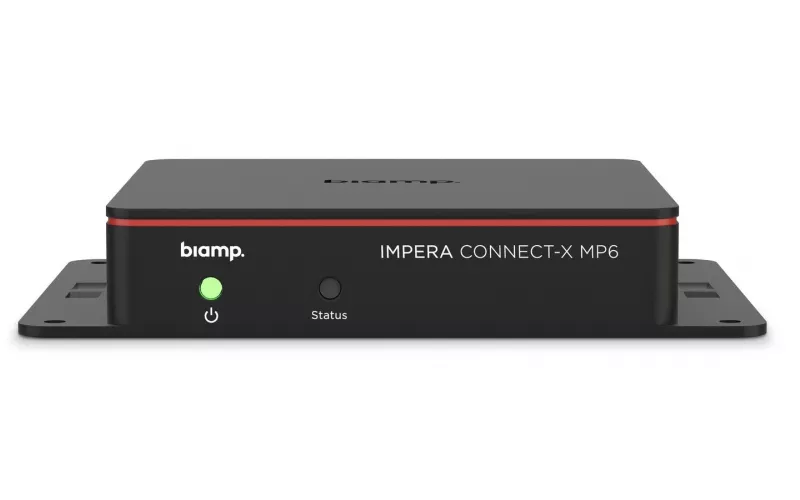
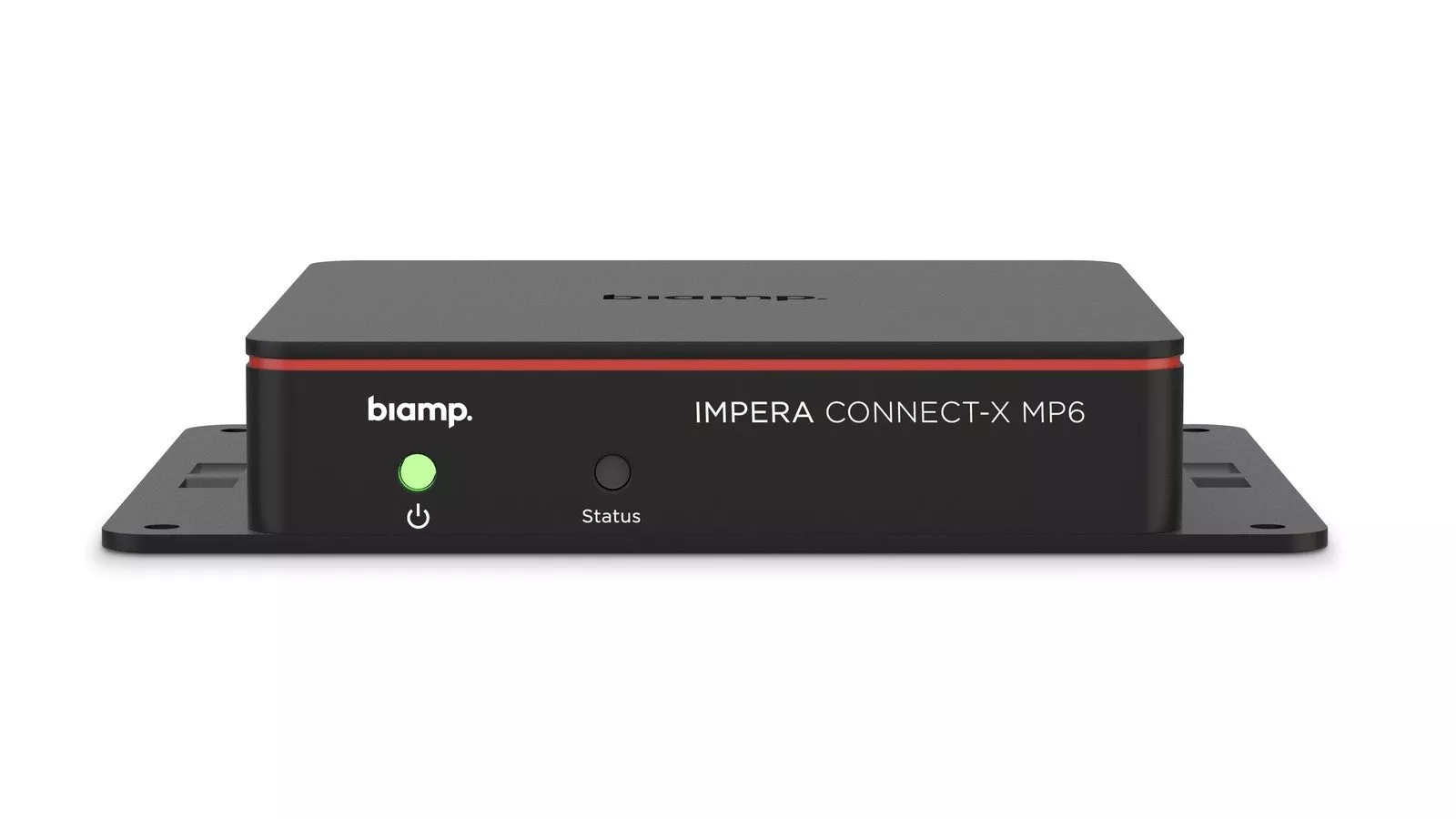
In November 2026 Biamp moved the Impera Connect-X MP6 into its Workplace Control family: once on firmware 5.0, the unit works as a Biamp Workplace expander and is migrated from Project Designer using Workplace Tools 1.3.0 and a new Impera Migration app. Dublin offices that already run Impera rooms or Evoko Naso booking panels should also note Naso firmware 4.0.116 and three black BMA 360D brackets released in the same Biamp roundup.
Product image: Biamp.
- Biamp says the Impera Connect-X MP6 on firmware 5.0 acts as a Workplace expander for serial (RS-232), IR, GPIO and IP equipment.
- Rooms using the expander show up in Workplace Command and Workplace Control Designer for remote monitoring, configuration and troubleshooting.
- Workplace Tools 1.3.0 carries the Impera Migration app, which discovers and upgrades each Connect-X MP6.
- Evoko Naso firmware 4.0.116 swaps the Evoko app on the setup screen for the Biamp Workplace Booking app and fixes an ethernet compatibility problem.
- Black surface and recessed brackets for the BMA 360D and BMA 360D-I are shipping, for ceilings without tiles.
What changed in Biamp's November 2026 roundup
Biamp grouped three updates into one product announcement. Two are software and one is hardware, and all three touch rooms that are already installed rather than only new projects. That is why we have written this one as a checklist for existing estates.
Existing Impera rooms: the Impera Connect-X MP6 moves to Workplace Control
Until now an Impera system with a Connect-X MP6 was set up in Project Designer. Biamp's announcement says firmware version 5.0 makes the same box a Workplace expander, adding capabilities to hardware that is already on site. Biamp presents it as an upgrade for units already installed, with the change made in firmware and in where the room is configured.
After migration, Biamp says, one interface handles RS-232, IR, GPIO and IP devices regardless of manufacturer, and a single button can start a meeting by powering the display, lowering the screen and dimming the lights. The devices also become visible in Workplace Command and Workplace Control Designer, so a team looking after rooms on several floors, or in several buildings, can check and fix them remotely.
The route is set out plainly. Workplace Tools manages the move from Project Designer to Workplace Control: the Impera Migration app finds the Connect-X MP6 and upgrades it, and configuration then happens in Workplace Control Designer. Biamp's Workplace Tools release notes list 1.3.0 as a November 2026 release whose new feature is the Impera migration application.
Workplace Tools 1.3.0 brings other changes worth knowing if you already use Biamp Workplace. Biamp says a device in a mismatched state can now have its Workplace connection cleared on the device itself, USB authorisation in EasyConnect is more dependable, and organisations with over 1,000 locations now load completely.
Existing Naso panels: what firmware 4.0.116 changes
Biamp describes Naso 4.0.116 as a release for maintenance, stability and security, updated through Biamp Workplace. The headline change is on the setup screen, where the Biamp Workplace Booking app replaces the Evoko app. As Biamp puts it: "Together these changes help Evoko Naso run more reliably across a wider range of network setups."
The Naso firmware release notes give the detail behind that. They list a fix to the ethernet protocol so Naso works with additional network equipment, updated priority for various error types, fixes for the Find another room and schedule views, corrected image indices in the room scroll view, an updated booking list, a Buildroot upgrade and the removal of eMudhra root certificates. If a Naso panel in your building has refused to come online on a particular switch, the ethernet fix is the line to read. For the booking platform as a whole, see our earlier Evoko Liso migration checklist.
A checklist for Dublin offices with Impera or Naso rooms
- Find every Connect-X MP6. Note the room, the firmware it runs and what it controls on each port.
- Save the Project Designer files. Keep the current programme for each room before any upgrade, so the existing behaviour is on record.
- Confirm the Workplace account. Biamp's Impera compatibility article lists a Biamp Workplace account and the Workplace Tools desktop app as requirements; check who holds the account and which organisation the rooms sit in.
- Install Workplace Tools 1.3.0. This is the version with Connect-X MP6 support and the Impera Migration app.
- Plan a pilot room. Migrate one room, rebuild its control in Workplace Control Designer and test the start of meeting sequence before doing the rest.
- Check Naso firmware. Find out which panels are not yet on 4.0.116, particularly any with network problems; the update comes through Biamp Workplace.
- Brief reception and users. Tell people the Naso setup screen now shows the Biamp Workplace Booking app.
- Check other Impera devices. The announcement only names the Connect-X MP6, so at the time of writing confirm with Biamp's support pages whether anything else in your system is covered.
Black brackets for the BMA 360D, briefly
The hardware part of the roundup is for ceilings that do not use tiles, such as plasterboard or open soffits. Biamp lists three black kits: the BMA 360D-SM Black (920-10866-10000), a universal surface mount for the 24 in and 600 mm models; the BMA 360D-RM Black (920-10864-10000), recessed, for the 24 in BMA 360D; and the BMA 360D-RM-I Black (920-10865-10000), recessed, for the 600 mm BMA 360D-I. Biamp's text refers to black versions of both microphones, which updates the position in our post on the black BMA 360D for design led offices, where the black 600 mm model had not yet been confirmed.
Where this fits in a Dublin building
Docklands headquarters, Georgian offices converted for modern work and suburban business parks often share one problem: rooms installed at different times by different people. Pulling room control and booking panels into one Biamp Workplace view helps a small facilities team see the whole estate. It suits meeting rooms, huddle rooms and a Teams Room in Dublin alike.
1Install designs, supplies and installs meeting rooms, Teams Rooms and room booking and control systems. See how we run a project or price a room with the commercial quote builder.
Questions we are often asked
Will my existing Impera Connect-X MP6 work with Biamp Workplace?
Yes, with firmware 5.0. Biamp says that version makes the Connect-X MP6 a Biamp Workplace expander, giving hardware you already own new capabilities.
Which app migrates Impera rooms to Workplace Control?
The Impera Migration app in Workplace Tools 1.3.0. It discovers and upgrades the Connect-X MP6, and the room is then configured in Workplace Control Designer.
How is Evoko Naso firmware 4.0.116 installed?
Through Biamp Workplace. Biamp's release notes say Naso firmware updates are downloaded through Biamp Workplace.
Does Naso 4.0.116 fix network problems?
Yes, one of them. Biamp says it fixes an ethernet issue that stopped Naso working with some network equipment.
Can a black BMA 360D be fitted in a ceiling without tiles?
Yes. Biamp's new black surface and recessed mounting kits are made for ceilings that do not use ceiling tiles.
Book a consultation or call our Dublin office on 01 906 9326.
- Log in to post comments