Face recognition access control lets the right people through a door in a fraction of a second without a key, a fob or a code, and the Dahua FACT readers are among the best value units we can buy for it. For a Cork office, apartment block, clinic or private house they read faces quickly, refuse a photo held up to the camera, and still take a card when someone would rather not use their face.
They solve a problem that comes up again and again: lost fobs, shared door codes and staff or tenants who should no longer have access but still do. This guide covers what the readers do, where they suit Cork buildings, what they need behind the wall, and the data protection points to settle before anyone enrols a face.
What a face recognition access controller does
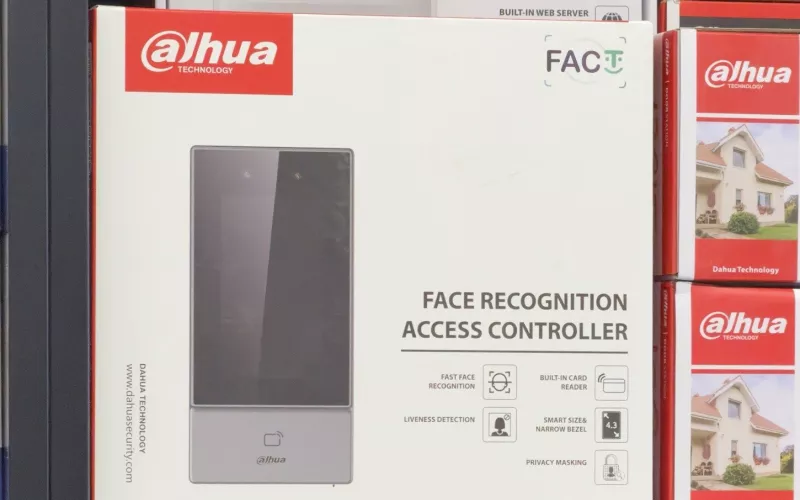
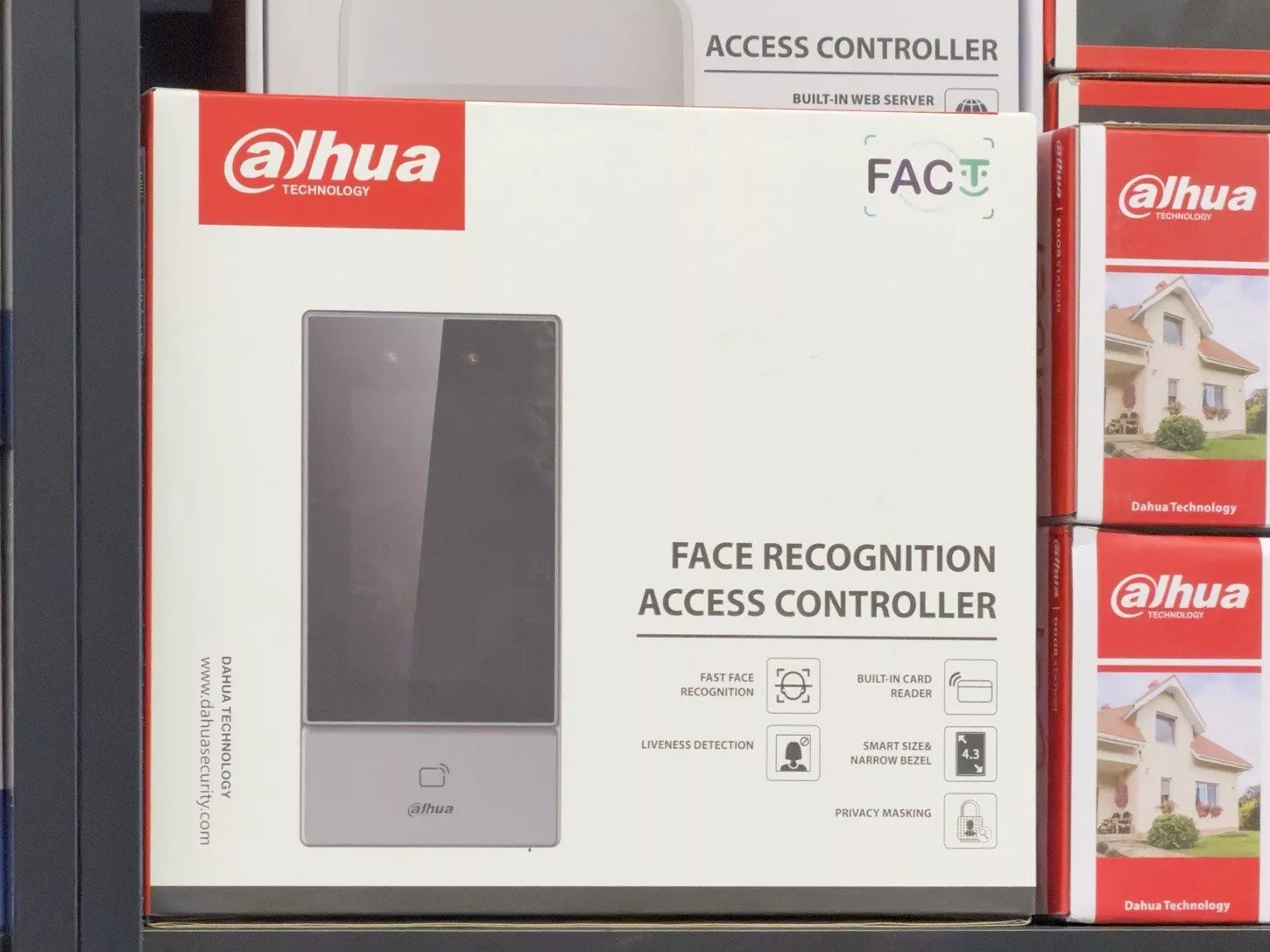
The reader sits beside the door at about head height. It holds a small database of enrolled faces, and when one of them walks up, it matches the face and releases the lock. The unit pictured above is a Dahua face recognition access controller from the FACT range, with a 4.3 inch screen in a slim, narrow bezel case and a card reader built in below the screen.
The features printed on the box are the ones that matter in practice:
- Fast face recognition: people walk up and the door opens, with no fumbling for a fob.
- Liveness detection: the reader checks that it is looking at a real person, not a printed photo or a phone screen.
- Built in card reader: anyone who prefers not to use their face, or a contractor in for one day, can still use a card.
- Privacy masking: listed by Dahua as a privacy feature of the unit, and something we set up with you during commissioning.
- Smart size and narrow bezel: it fits a standard door frame or a narrow wall between a door and a window.
Why we rate Dahua face recognition access control
Dahua's own leaflet for the FACT series, Dahua FACT Series Contactless Recognition Access Control, sets out the figures that made us pick it:
| What Dahua states | Why it matters in a Cork building |
|---|---|
| Recognition in under 0.3 seconds per person | No queue at the door at nine o'clock, even in a busy office or gym |
| Recognition accuracy of 99.5% or better | Fewer people stuck outside, fewer calls to reception |
| An anti spoofing algorithm that denies photos and videos | A picture on a phone will not open the door |
| Works with masks, long beards, hats or glasses, in direct sunlight and low light | Handles a wet winter evening and a bright glass lobby alike |
| Face capacity from 500 to 6,000 depending on the model | Sizes from a family home to a large office or apartment scheme |
| Management through SmartPSS Lite, DSS Pro and the DMSS app | Add or remove a person in the software in minutes, and open the door or get alarm alerts on your phone |
Dahua also describes the range as four in one: access control, time attendance, intercom and an IP camera in the same unit. For a small business that means one device at the door instead of a keypad, a clocking machine and a separate camera.
Where it suits Cork homes and businesses
We see the strongest case for these readers in a few kinds of building around the city and county:
- Offices in the city centre, Mahon, Ballincollig and Little Island: staff stop sharing fobs, and when someone leaves, you delete them in the software and they are out, with nothing to hand back.
- Apartment blocks and managed developments: residents use their face at the main door, and the management company keeps a log of who came and went without cutting new fobs every month.
- Clinics, gyms and studios: fast entry for staff, with the card reader for members or visitors who are enrolled on a card instead.
- Self builds and family homes across the county: a side door or utility door that opens for the family, teenagers who never lose a key again, and cards for the cleaner or a dog walker that you switch off when you need to.
- Holiday homes in West Cork: a card or code for guests and the DMSS app for you, so you can let someone in from Dublin or abroad.
What goes in behind the wall
A face recognition access controller is only as good as the door hardware and cabling behind it. On a typical install we plan:
- A network cable to the reader, so it can be managed and backed up, run back to your comms cabinet. Our Wi-Fi and network work covers the rack and switch.
- Power for the reader and the lock, with a backup supply so the door behaves the way you want during a power cut.
- The lock itself: a maglock, an electric strike or a motorised lock, chosen for the door and for fire escape rules.
- An exit button and a door contact, so the reader knows when the door is held open.
- Height and light: mounted where faces are seen straight on, away from strong backlight through a glass door.
If you are building or renovating, the cables are far cheaper to run before the plaster goes on. Our guide to security wiring for a self build lists what to ask your electrician for, and the smart home wiring guide for Cork renovations covers the rest of the house.
Face recognition access control and GDPR
This is the part people skip, and it matters. The Data Protection Commission lists biometric data used to identify a person as special category data, and processing it is prohibited except in limited circumstances set out in Article 9 of the GDPR. A face template on an access reader is exactly that kind of data.
For a business, that means planning before you enrol anyone:
- Carry out a data protection impact assessment and record why face recognition is needed at that door.
- Offer a card or PIN to anyone who does not want to use their face, with no disadvantage to them. The built in card reader makes this easy.
- Tell people clearly what is stored, where, and for how long, and delete templates when someone leaves.
- Keep the faces on the reader or your own server, not on a shared cloud account.
For a family home used purely for personal reasons the rules are lighter, but we still set the system up so the faces stay on the device and can be deleted at any time. Take your own legal advice for a workplace; we will build the system to match whatever your policy says.
Linking it to the rest of the house or building
An access reader works on its own, but it is better as part of a wider system. In a home it can sit alongside home automation, so the hall lights come on when the door opens after dark, and with lighting control in Cork homes we often tie the front door into an evening scene. In a business it can share the network and recording with your cameras. We look at the whole picture during a consultation and design visit rather than fitting a reader in isolation.
Questions we are often asked
Can a photo of me open the door?
No. Liveness detection is printed on the box, and Dahua says its anti spoofing algorithm denies photos and videos. We still test every reader on site before handover.
What happens if someone does not want to use their face?
They use a card on the built in card reader instead. In a workplace that choice should always be offered, and the system handles both at the same door.
Will it work outside a front door in Cork weather?
Dahua rates some models in the FACT range IP65 for outdoor use, and others are for indoor or covered doors. We pick the model for the door, and add a canopy or hood where the rain comes straight at it.
Can I let someone in when I am not there?
Yes. With the DMSS app you can open the door remotely and get alarm alerts, so a delivery or a tradesperson does not need a key. Adding and removing people is done in the management software.
How many people can it hold?
Depending on the model, from 500 to 6,000 faces, according to Dahua. A family home needs a handful; an office or apartment block needs one of the larger units.
Do I need a new lock?
Usually yes, unless the door already has an electric lock. We survey the door and frame first and choose a lock that suits it and the fire escape rules for the building.
If you would like face recognition access control on a door in Cork, we will look at the door, the cabling and the data protection side with you and recommend the right Dahua reader. Book a consultation or call Cork on 021 202 8107.
- Log in to post comments