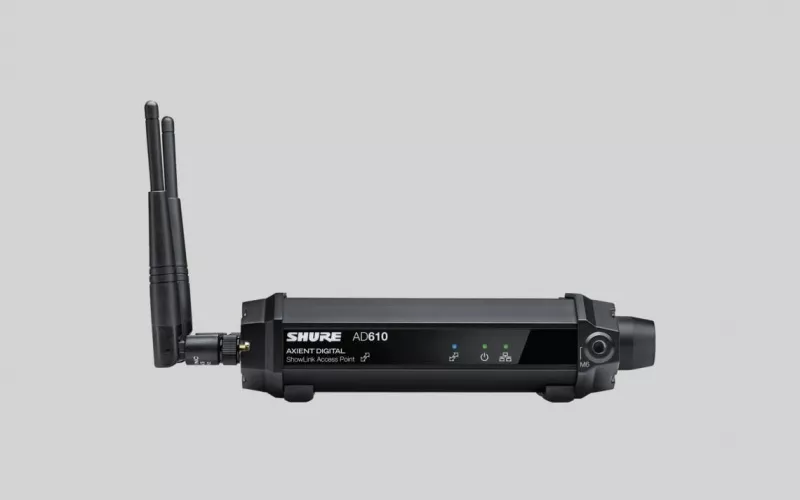
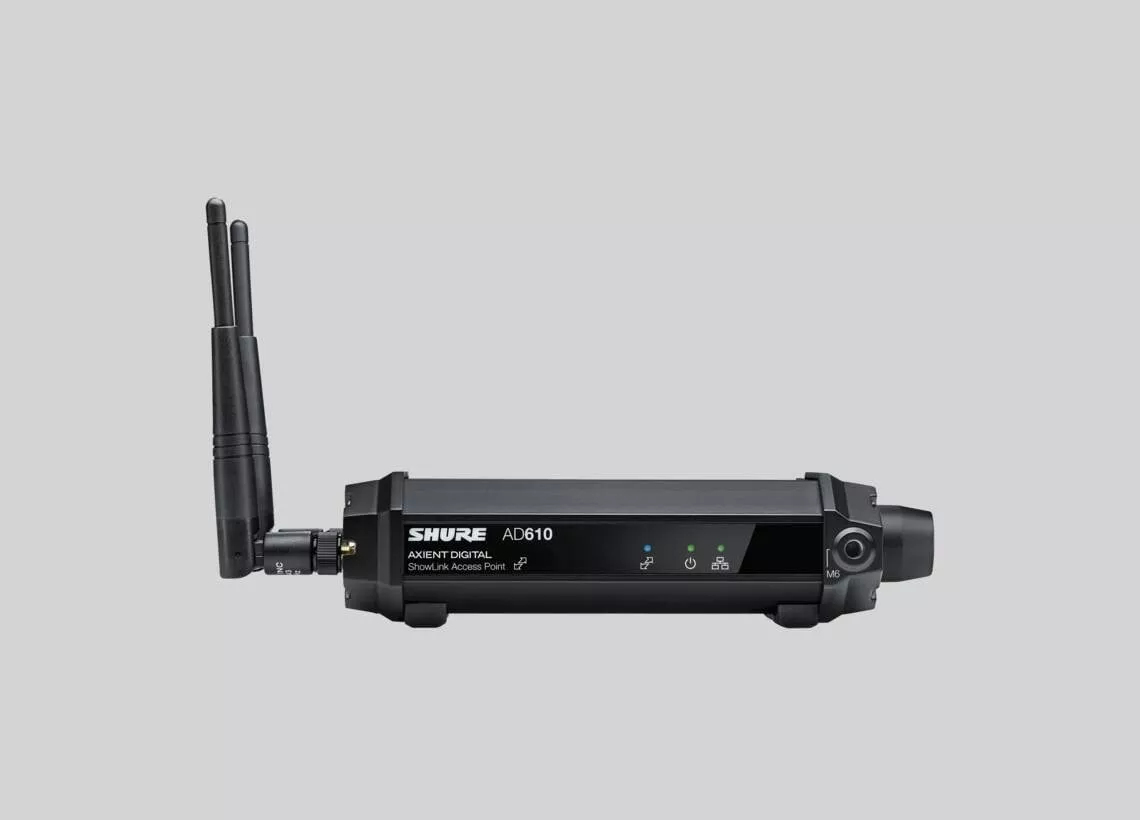
Shure has added Channel Linking and Preferred Access Point to Shure Axient Digital in software version 1.6, with Shure's announcement dated 7 October 2026. Channel Linking spans four receiver models (AD4Q, AD4D, ADX5D, and the ANX4 when set to Axient Digital mode), while Preferred Access Point applies to venues running several AD610 ShowLink access points.
Product image: Shure.
- Shure's newsroom page carries a date of 7 October 2026 for the announcement of version 1.6 of its Axient Digital wireless system software.
- Compatible receivers for Channel Linking are the AD4Q four channel, AD4D two channel and ADX5D, plus the ANX4 scalable receiver when operating in Axient Digital mode.
- Preferred Access Point lets a venue running two or more AD610 units steer supported transmitters to the one it chooses.
- Shure says the update is available now, downloadable through the Shure Update Utility, a desktop application.
- Shure aims the update at large coverage areas and redundant receiver networks, so in our view it is unlikely to matter for small meeting rooms.
The two new features, in plain terms
Shure's newsroom release describes Axient Digital 1.6 as an update for large scale wireless audio deployments. Here is what each feature does, as Shure explains it.
Linking channels across receivers. One receiver channel becomes the primary. Channels on other supported receivers, set as secondaries, then copy its frequency, registered transmitter, encryption details and channel name without anyone retyping them. Shure's AD4D user guide adds that linking allows a single transmitter to roam across several receivers, and that a group holds one primary plus a maximum of eight secondaries. Shure's release lists parade routes, stadiums, arenas and convention centres among the uses, along with productions that need flexible receiver placement.
Choosing the access point for each transmitter. ShowLink is the control path between Axient Digital transmitters and receivers, carried by AD610 access points. Shure's Wireless Workbench help explains that ShowLink sends control data, for example RF frequency, gain and device names, that it works in the 2.4 GHz band, and that it does not transmit audio. With 1.6, a venue that has more than one AD610 can send supported transmitters to the access point it prefers, which Shure says gives more control over ShowLink operation in complex wireless environments.
Shure Axient Digital in Dublin: who this update is for
Most offices in Sandyford will never see an Axient Digital rack. This release matters to the smaller group of buildings where radio microphones carry a live event, a lecture series or a service across a large space. Around Dublin that includes:
Conference and event venues. Large halls in the Docklands where presenters move between a main stage and side rooms, each fed by its own receiver.
University and college campuses. Lecture theatres and graduation halls where a production team may wheel a wireless rack between buildings. Our education page covers how we approach teaching spaces.
Theatres, concert venues and churches. Spaces in Dublin city centre that keep a spare receiver chain so a show or service can continue if a unit fails.
Corporate campuses with an auditorium. Headquarters sites in the suburbs that run all hands meetings with handheld and headset microphones.
If your building only uses ceiling microphones and a video bar in its meeting rooms, this update does not affect you. Our audio conferencing and meeting room AV pages are the better starting point for that.
A pre update checklist for venue and IT managers
Shure's AD4D user guide is direct on firmware: "To take advantage of channel linking, make sure all devices are on the latest firmware." Working from that guide, a sensible checklist looks like this:
- List every receiver, transmitter and AD610 in the system, with the firmware version each one is running today.
- Plan to bring transmitters level with their receivers' firmware. Shure says paired transmitters and receivers must have the same firmware version installed to ensure consistent operation.
- Check that receivers you intend to link match on RF band, encryption mode, transmission mode and frequency diversity setting, as the guide requires. It also warns that altering any of them later breaks up the group.
- Keep power and network connections steady during the receiver update. Shure says the receiver should stay switched on until the update finishes.
- For transmitters, keep the IR sync windows on both units lined up from start to finish, as the guide instructs.
- Pick a quiet day. Shure's documents do not say when to update, so in our view it is best done well away from an event, leaving time afterwards to line check and walk test every microphone.
Feature lists and supported models can change between software versions, so treat the details here as correct at the time of writing and check Shure's own release notes first.
Fitting the update into a building's wider AV
Axient Digital receivers sit on the building network, and AD610 units need sensible placement for ShowLink coverage. That makes an update a good moment to look at the wider infrastructure: is the AV network documented, are the access points where the layout drawings say they are, and does the person running events know which receiver feeds which room? Our page on wired and wireless systems explains how we plan cabling and wireless together.
For a Dublin campus with two halls, Channel Linking could mean a presenter's radio microphone is already set up on the second hall's receiver before they walk across. For a venue with several AD610 units, Preferred Access Point lets the engineer decide which unit handles each transmitter. Both are Shure's descriptions of what the features allow, not a promise of how any particular building will behave.
If you also monitor your wireless with Shure software, we covered Shure WAVETOOL 4 monitoring in an earlier post. Shure's newsroom release is the primary source for this post, and the AD610 product page describes the access point.
Questions we are often asked
What does Channel Linking do on Shure Axient Digital?
It lets secondary receiver channels inherit frequency, transmitter registration, encryption details and channel name from a primary channel, so one transmitter can move between receivers, according to Shure.
Does the ANX4 support Channel Linking?
Yes, provided the ANX4 scalable receiver is running in Axient Digital mode, Shure says.
What is the Shure AD610 used for?
It is a ShowLink access point. Shure says it lets operators adjust ShowLink enabled Axient transmitters remotely, in real time.
Can I run the 1.6 update during an event?
No, we would not advise it. Shure's guide says power and network must be maintained during a receiver update and the receiver must not be turned off until it finishes, so our advice is to plan updates outside events.
Can 1Install look at our Axient Digital setup in Dublin?
Yes, we are happy to talk it through. 1Install designs, supplies and installs meeting rooms, Teams Rooms and video conferencing systems, as well as wider AV; see our process for how a project runs.
Book a consultation or call our Dublin office on 01 906 9326.
- Log in to post comments