We are replacing a Control4 system with Crestron Home in a house in Cork, and this page follows the job from start to finish. Part 1 covers what is installed today and why the homeowner has decided on a Control4 to Crestron Home change.
The house has had Control4 in every room for roughly eight years. The previous integrator installed it, it has never worked consistently, and the homeowner has now asked us to take it out and put Crestron Home in its place.
We are an accredited Control4 dealer as well as a Crestron Elite Partner, so this is not a Crestron installer running down a rival. It is one house and one homeowner's experience, and a chance to compare the two systems in the same rooms. We will share what we find as the job goes on.
How this series works
This is one page that grows with the job. Part 1, below, describes the system as it is today. We will add the later parts to this page as each stage is finished, so everything about the project stays in one place, along with more photos and some video as the job goes on. We expect it to run to around five parts:
- Part 1: what is installed today, which is this part.
- Part 2: taking the old system out.
- Part 3: installing the new Crestron Home system.
- The final part: photos of what we have replaced, pictures of the new Crestron equipment and, if the homeowner is happy to give one, a video testimonial.
We will document everything we do on the project along the way.
Part 1: what is installed today
The previous integrator installed Control4 in every room of the house, with audio, video, security, gate entry, the network, video distribution and lighting. Every window has curtains and voiles, and those are part of the system too. It has been in the house for roughly eight years and has not worked consistently from the day it was installed. Over the last two years we have made it more stable. The video and photos below show the house and the system as they are today.
The house. Both pictures below were taken on 1 October 2026, at the final site survey, when we measured the blinds and curtains. The first is a still from a video filmed on a phone.
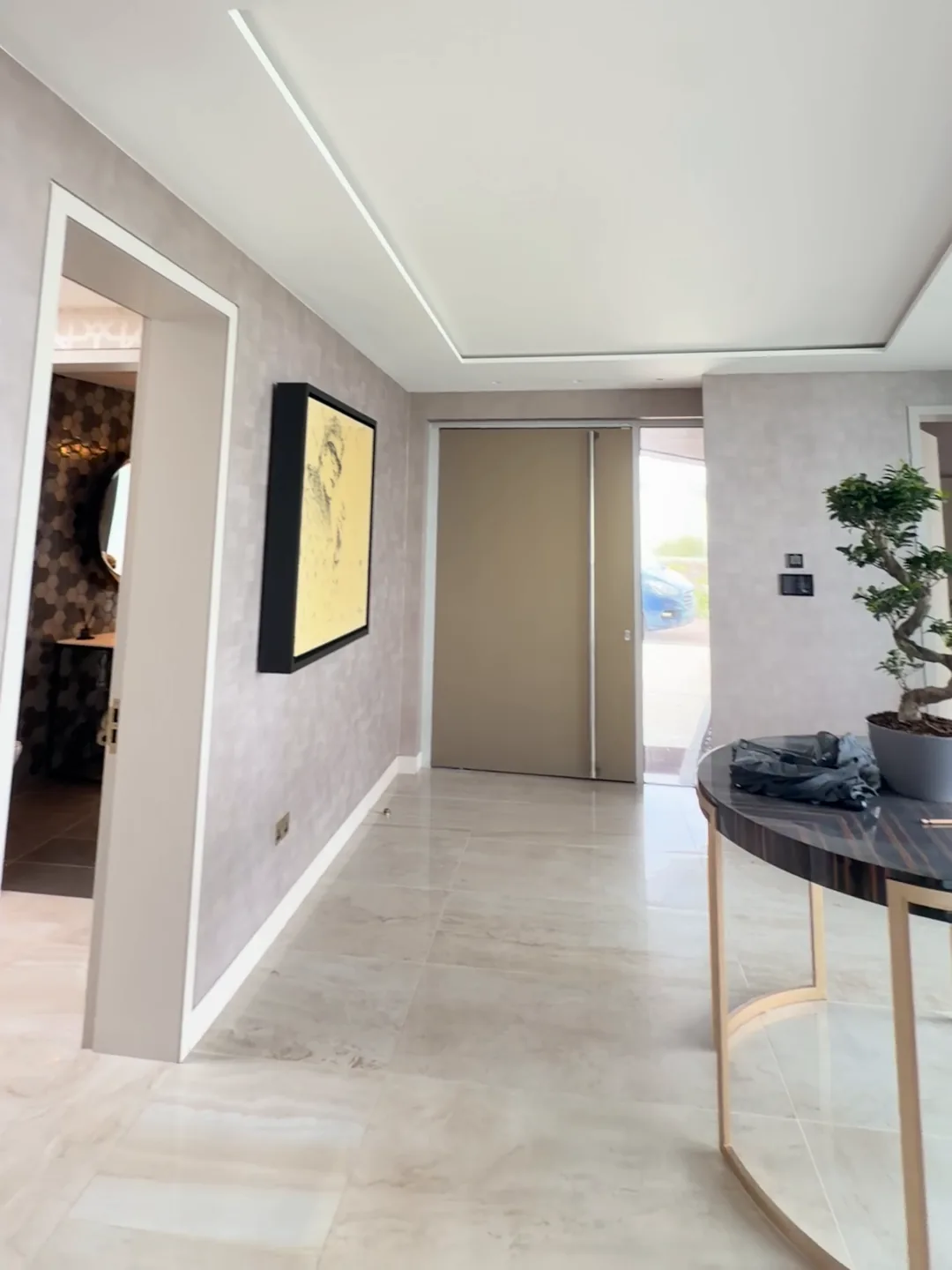
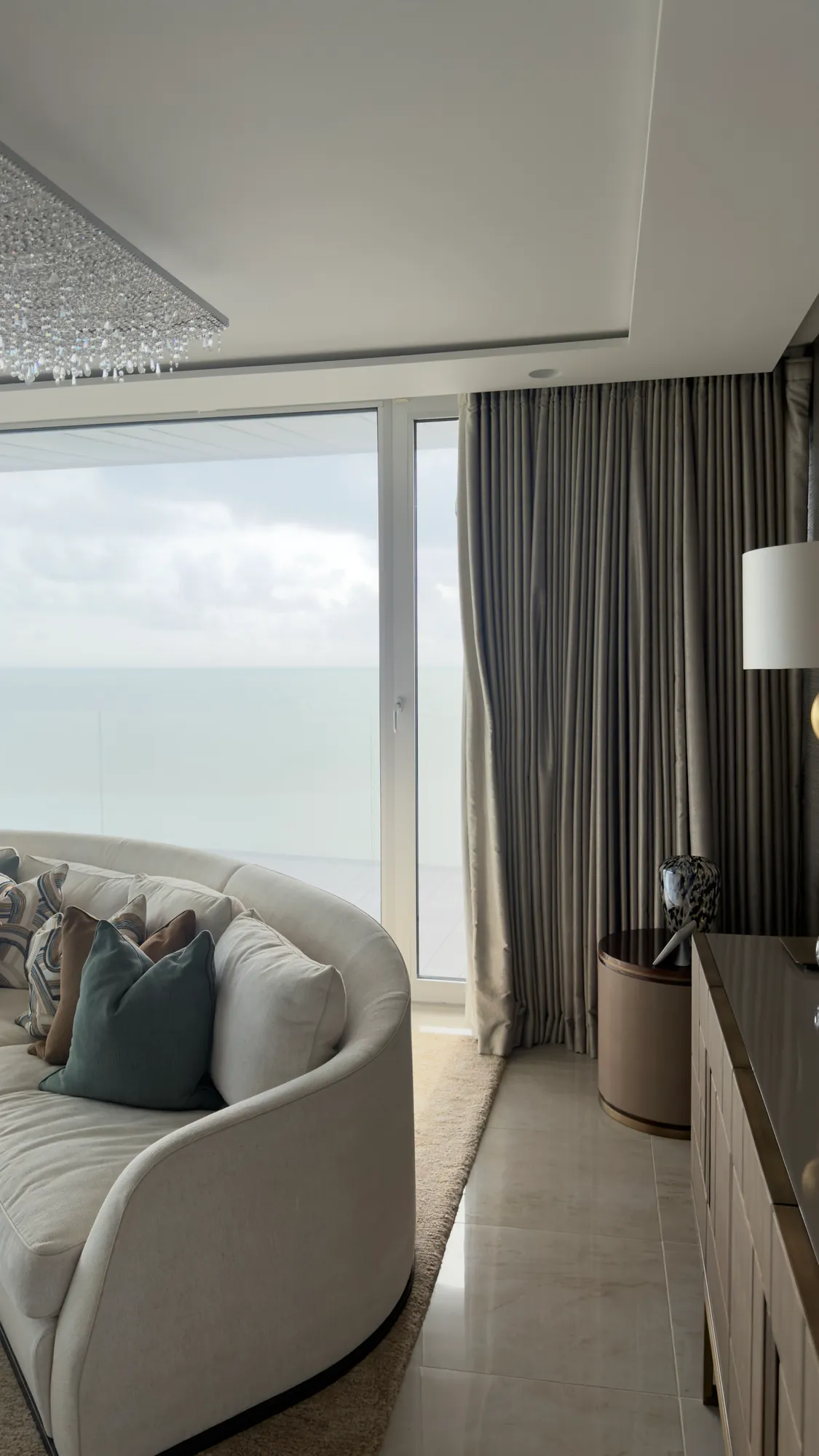
The pictures show the hallway, looking towards the door at the far end, and one of the rooms, with a floor length curtain beside the windows.
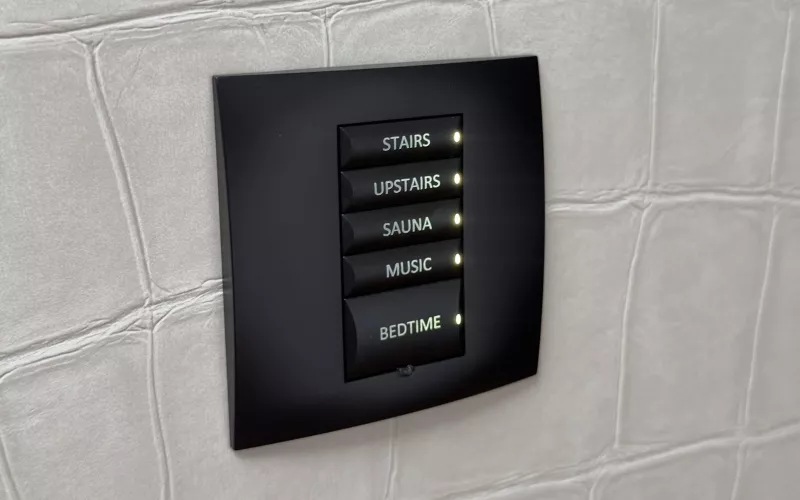
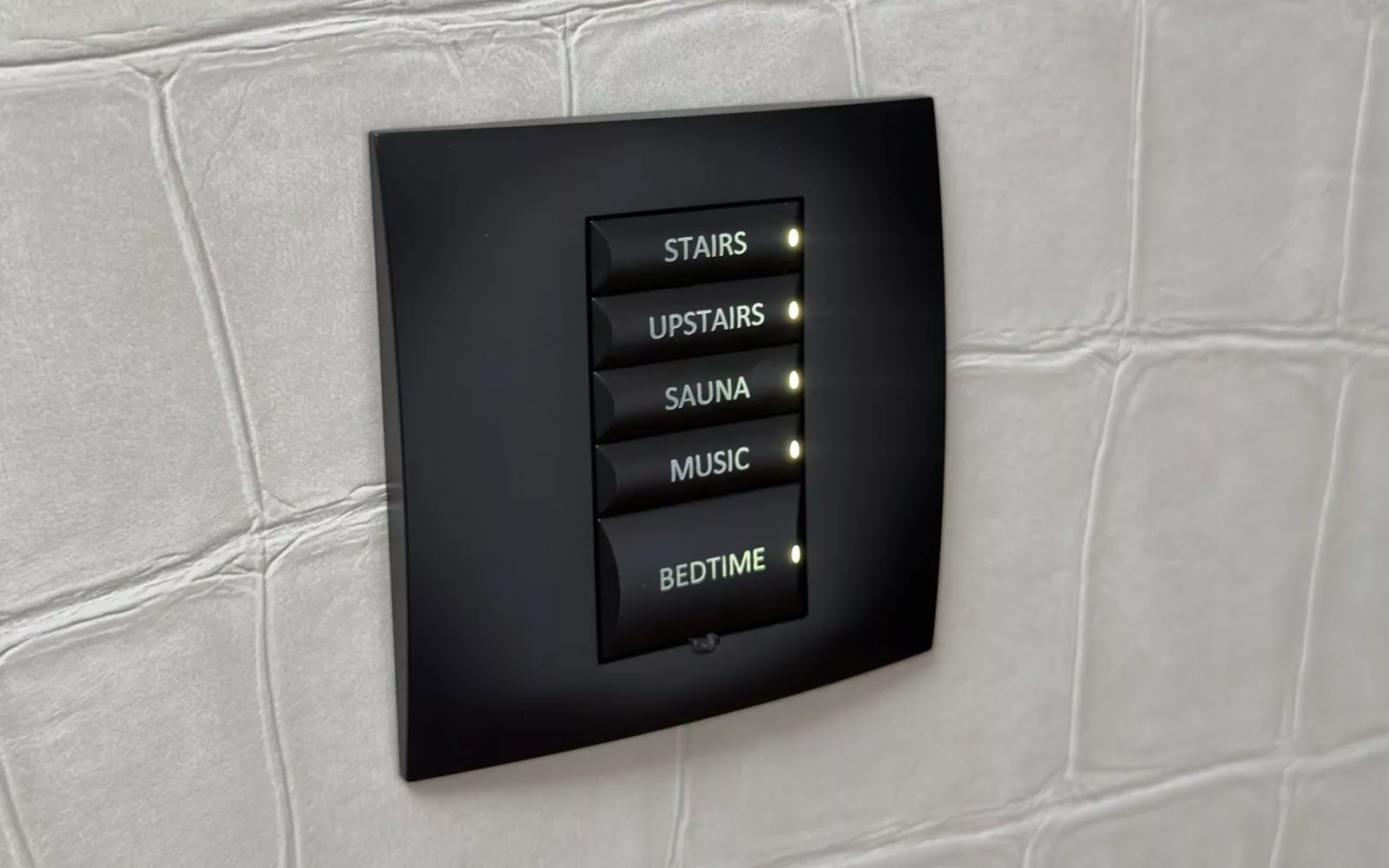
The keypads and controls. People in the house use wall keypads, a handheld remote and a wall touch screen. The keypad buttons are named for the way the household lives: areas such as kitchen, living, bath, stairs and upstairs, scenes such as bedtime and off, and buttons for music, TV and the curtains, voiles and drapes.
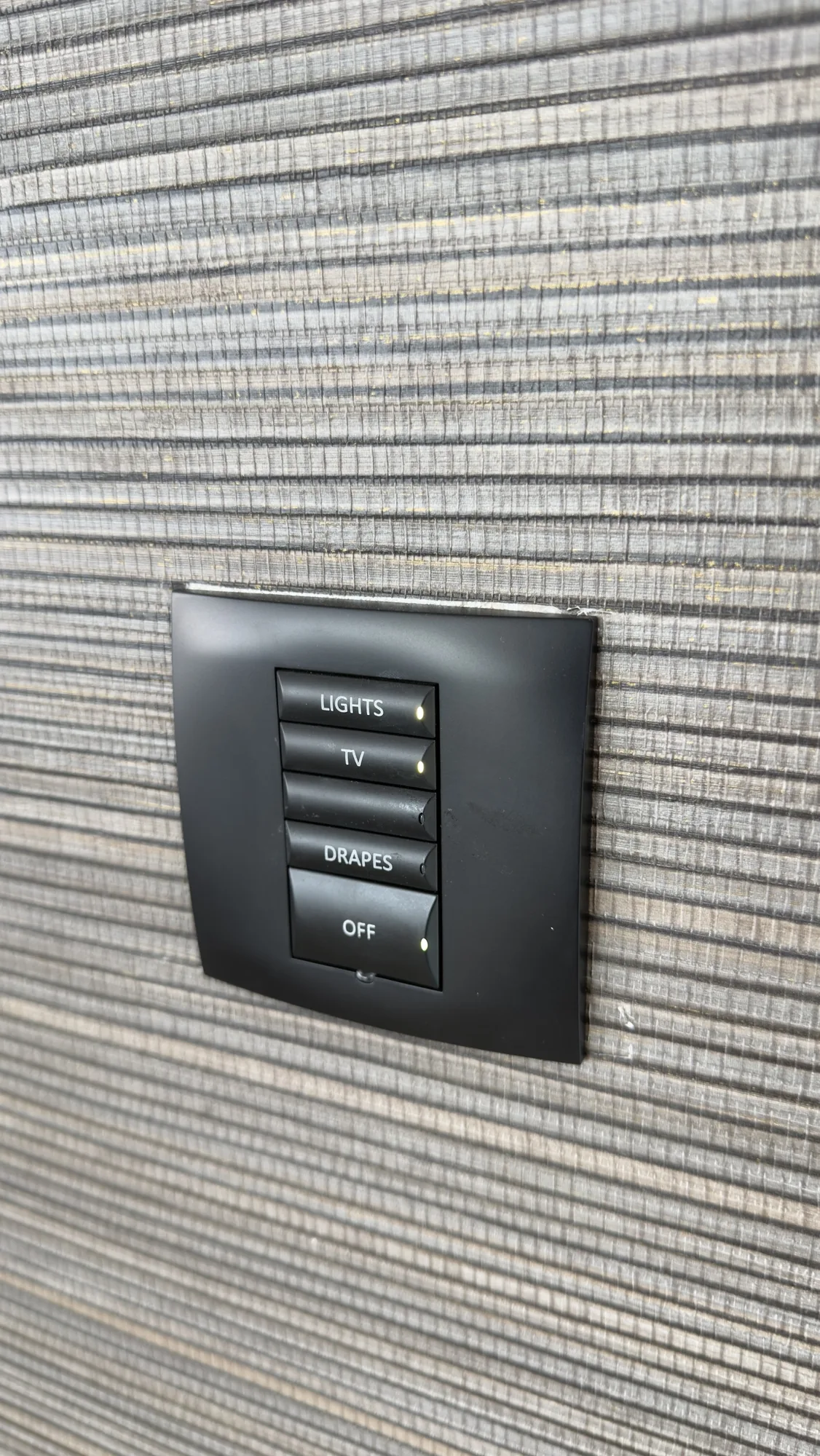
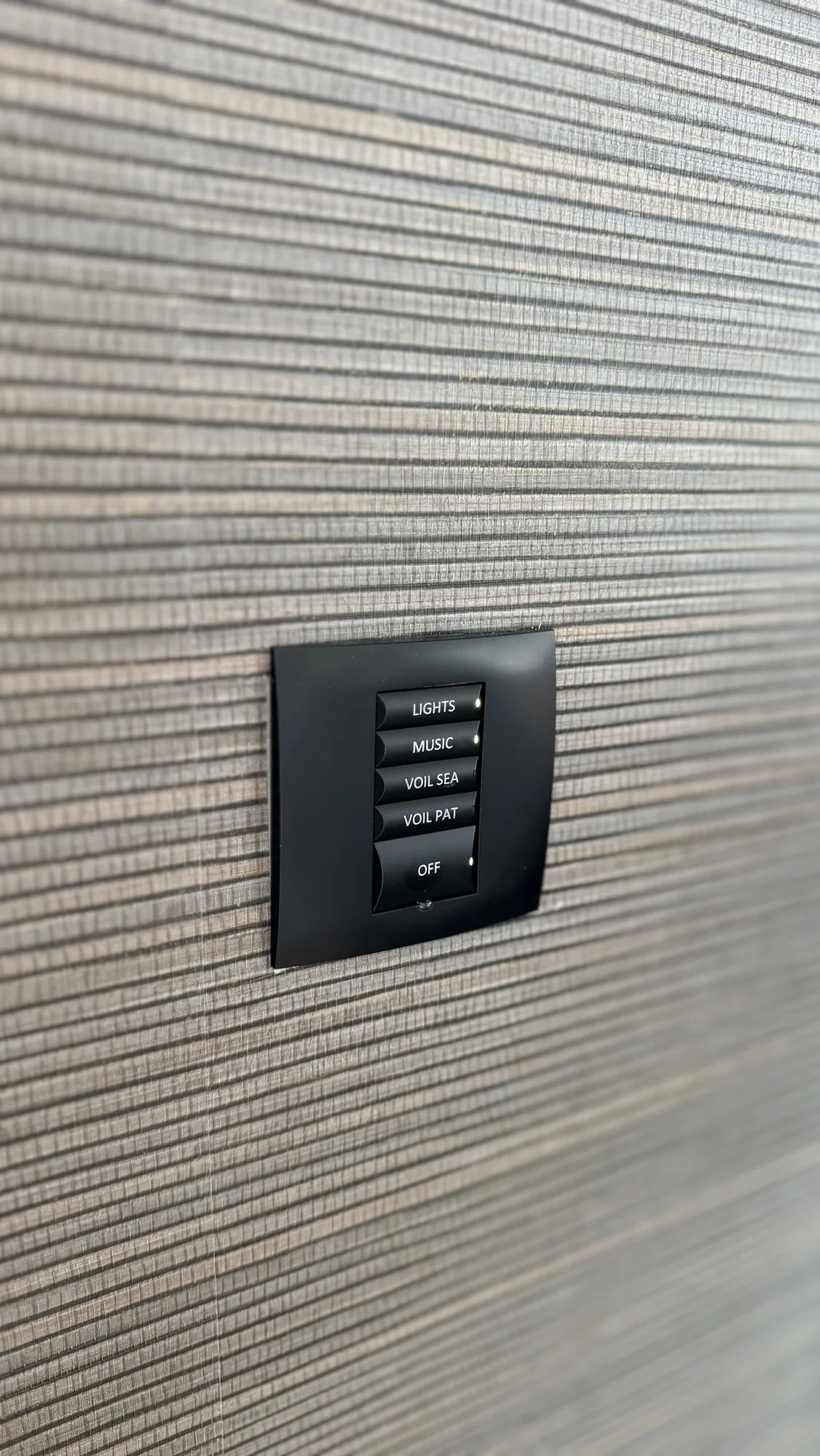
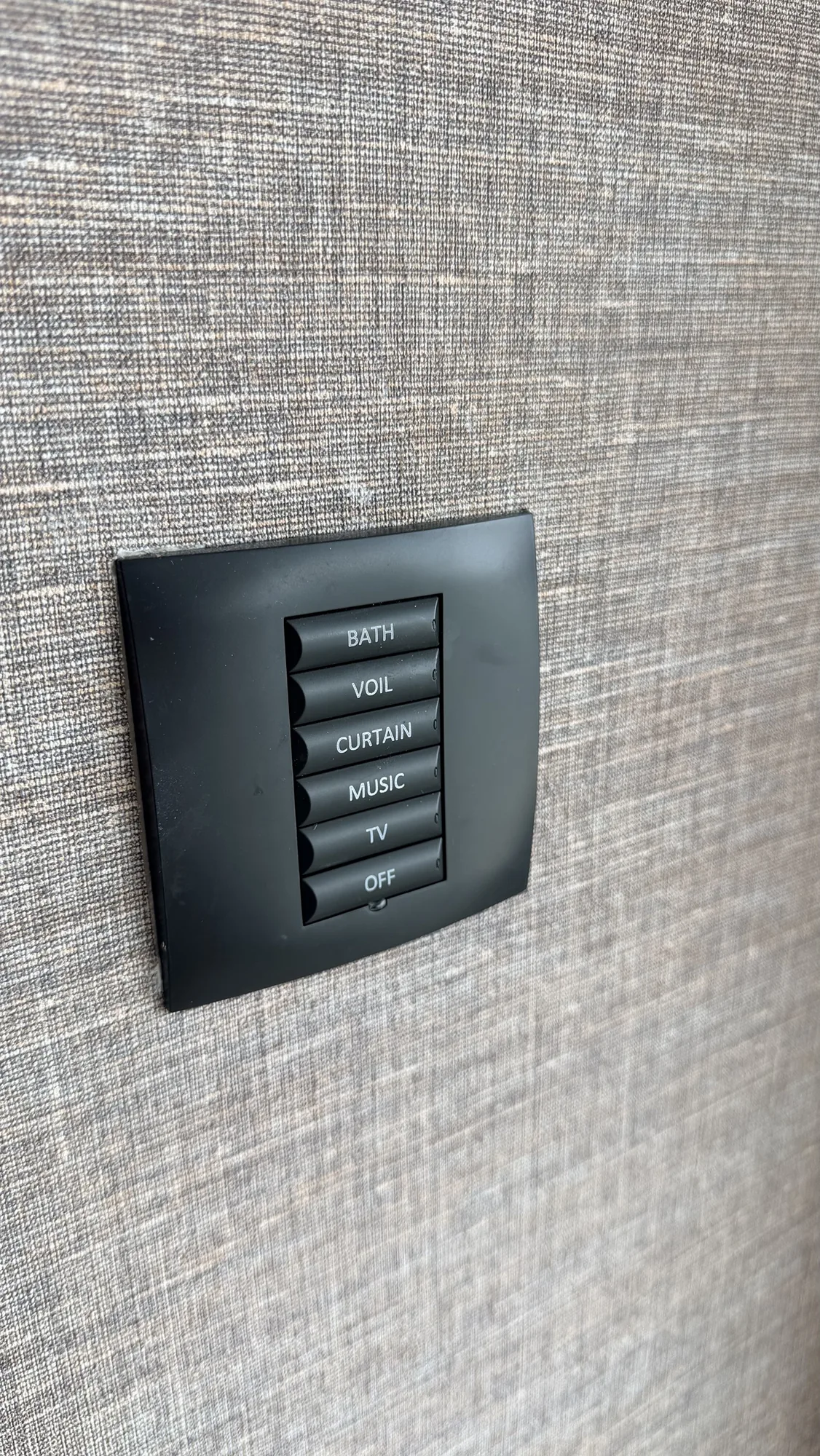
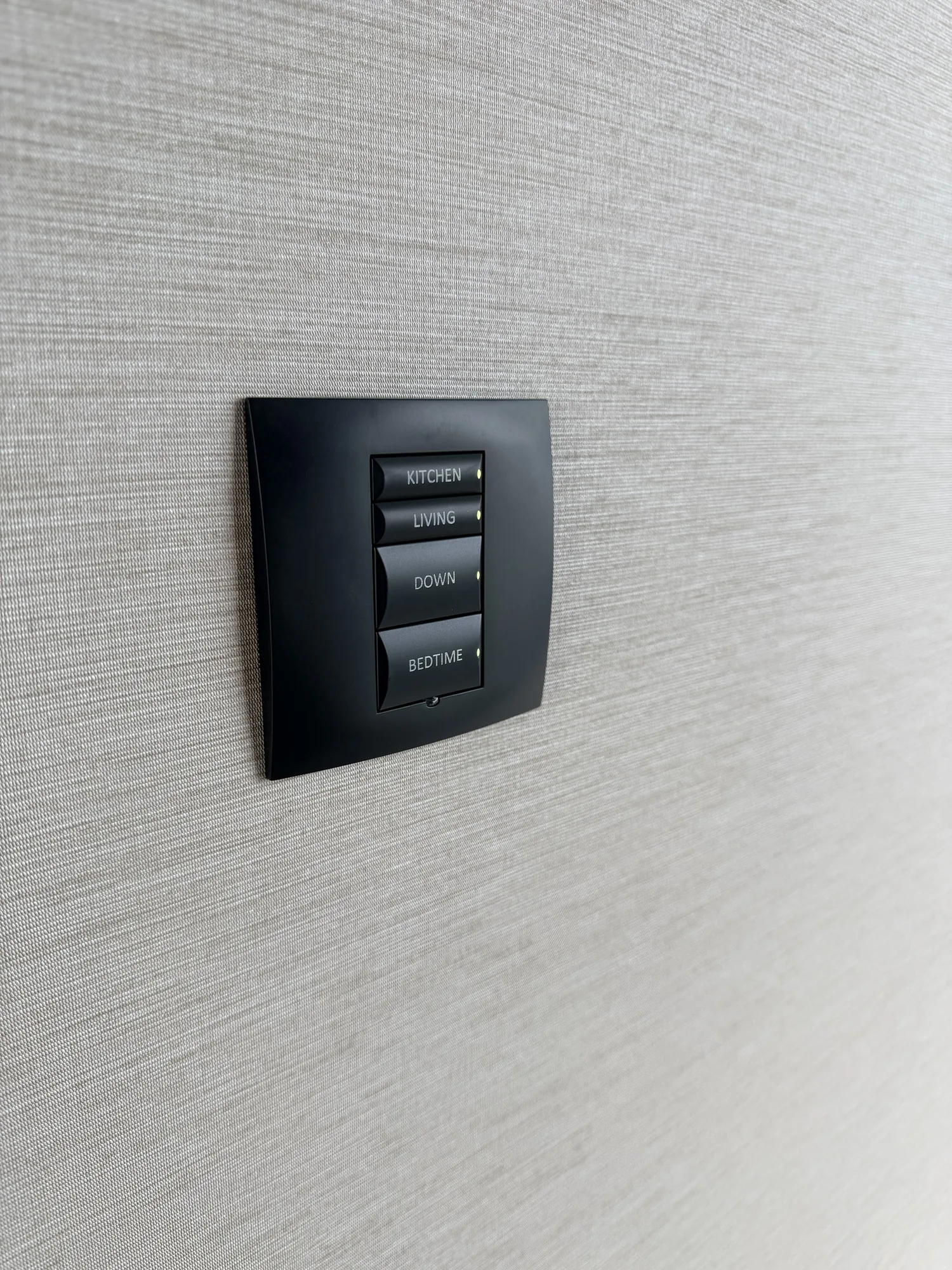
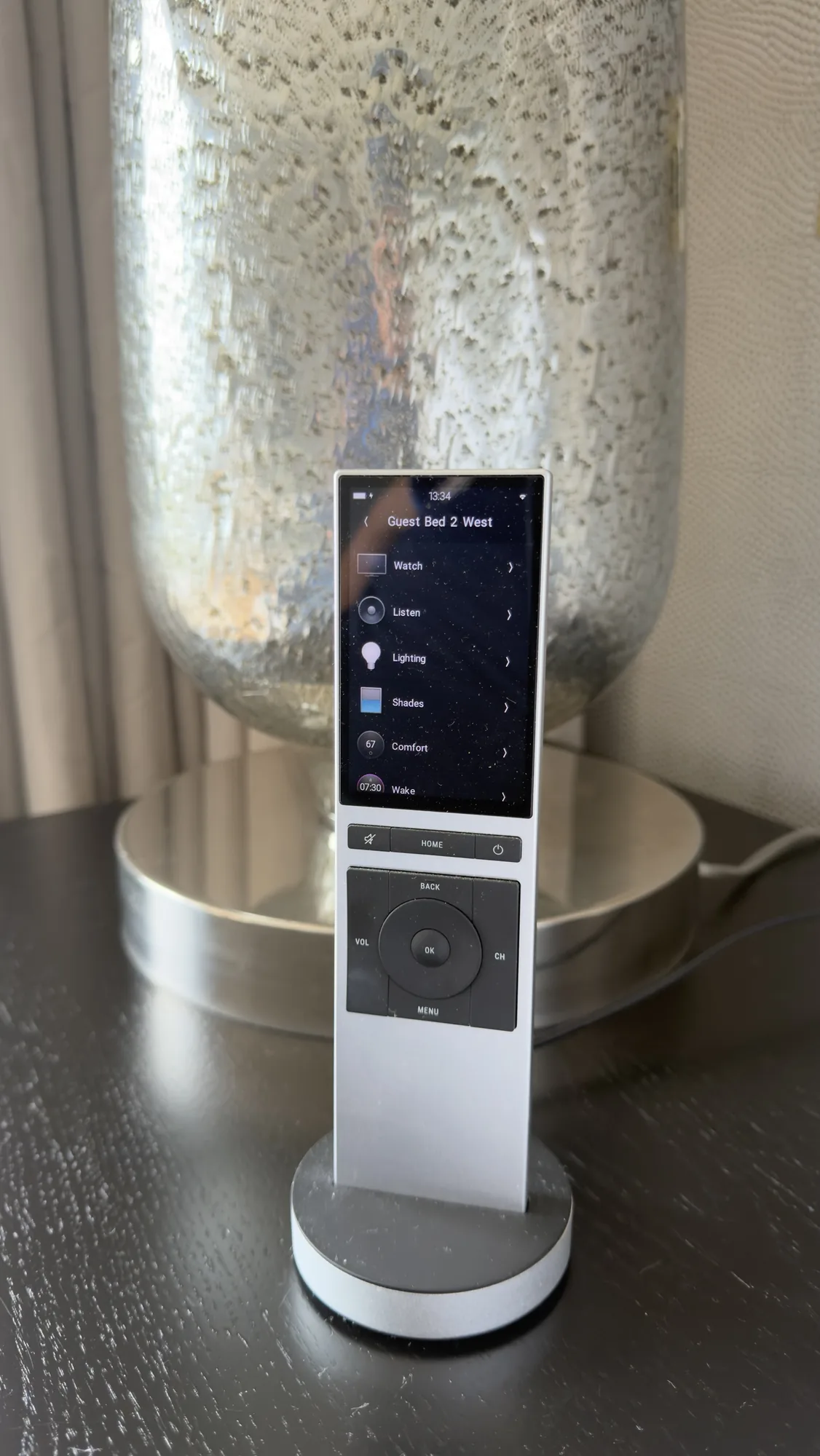
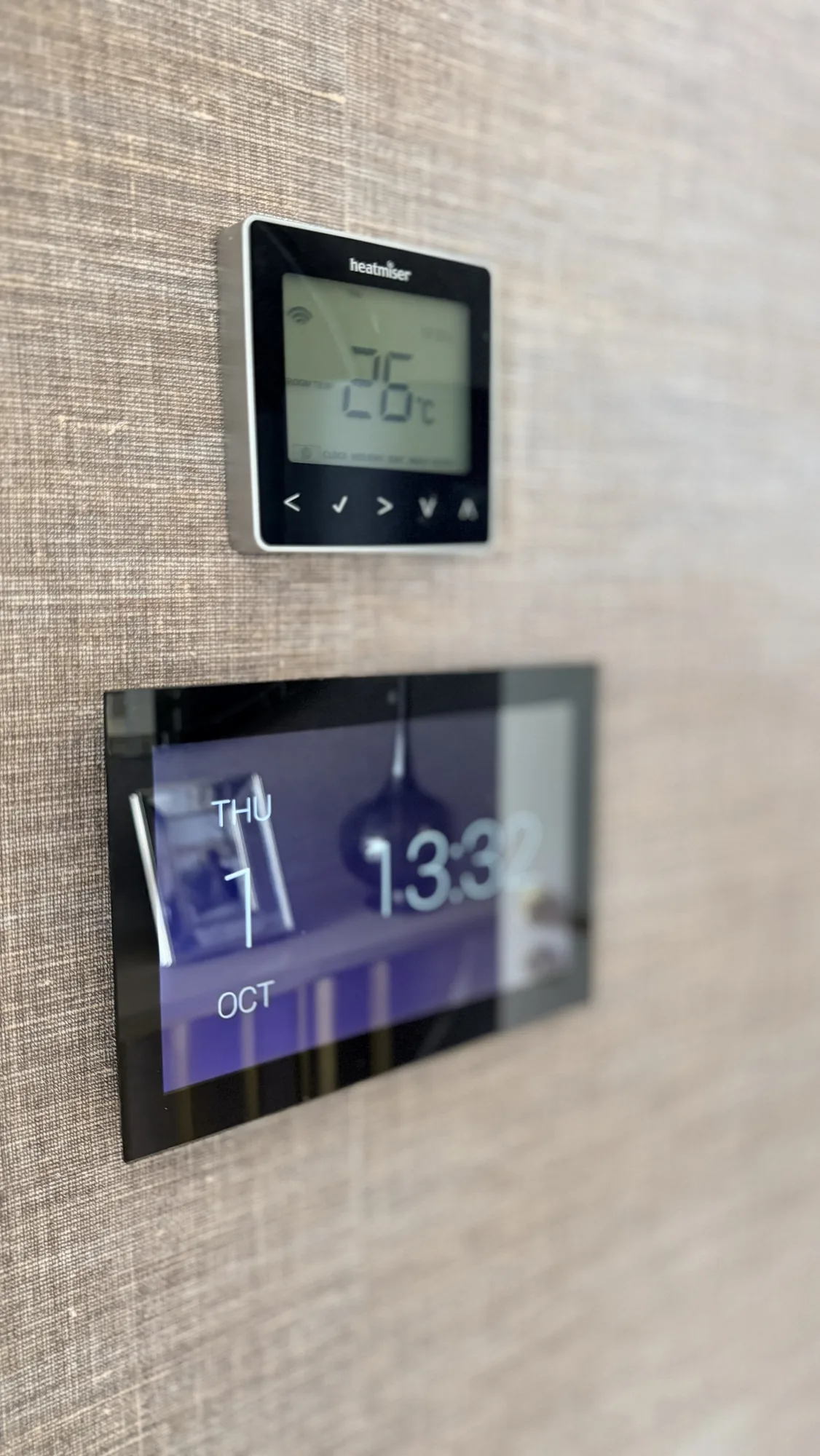
The photos show four of the wall keypads, a handheld remote and a wall touch screen with a Heatmiser thermostat above it.
The lighting equipment. The lighting is the part that is not Control4. Behind the keypads it runs on Philips Dynalite equipment in the cabinets: eight switchers (12 channel relay controllers), a miscellaneous controller, two low voltage dimmers and a mains dimmer, with a network power supply and a network gateway. A handwritten label beside the miscellaneous controller reads gym voile open and close. The lights therefore depend on two systems working together, and a fault can sit in either one.
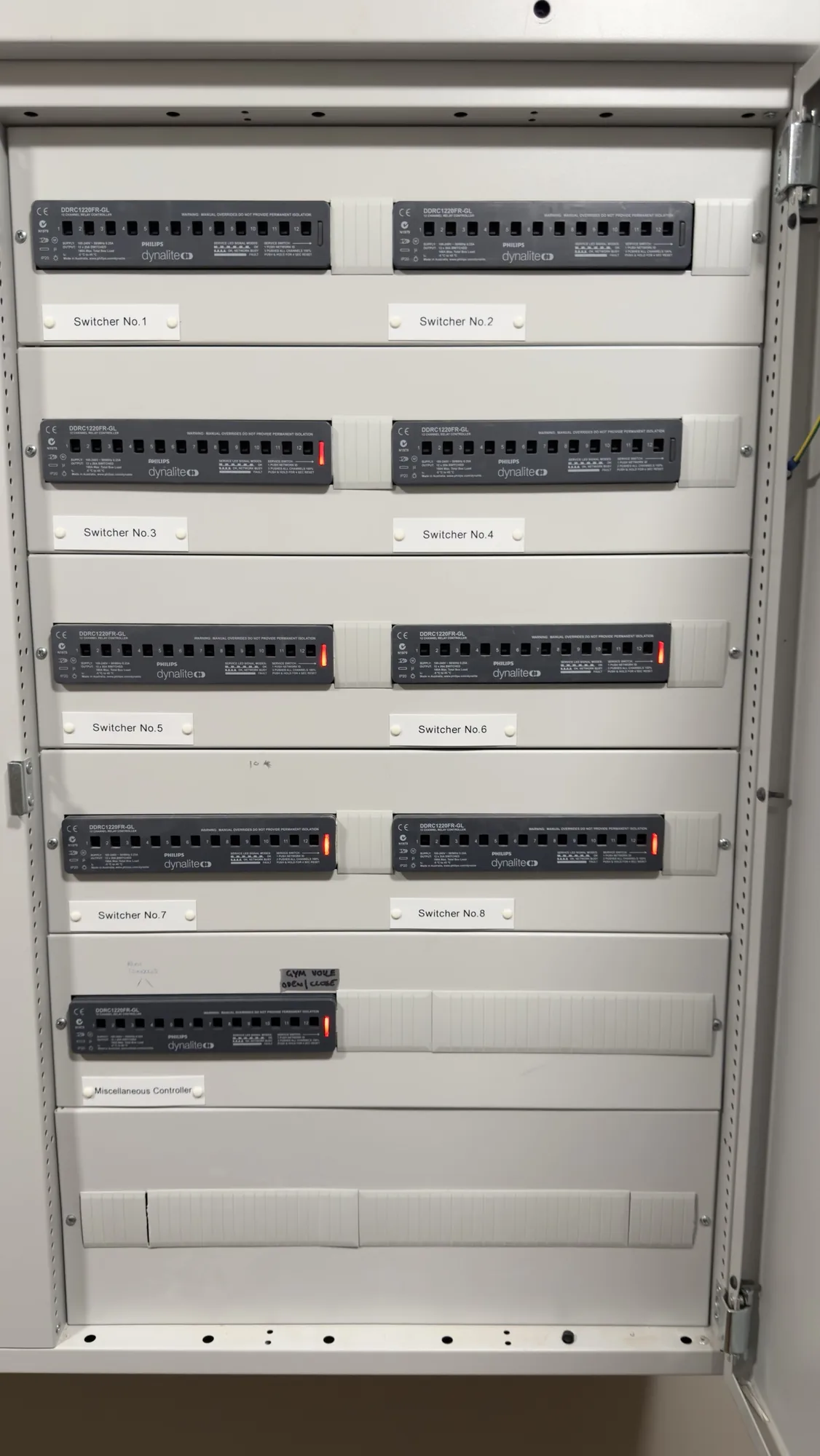
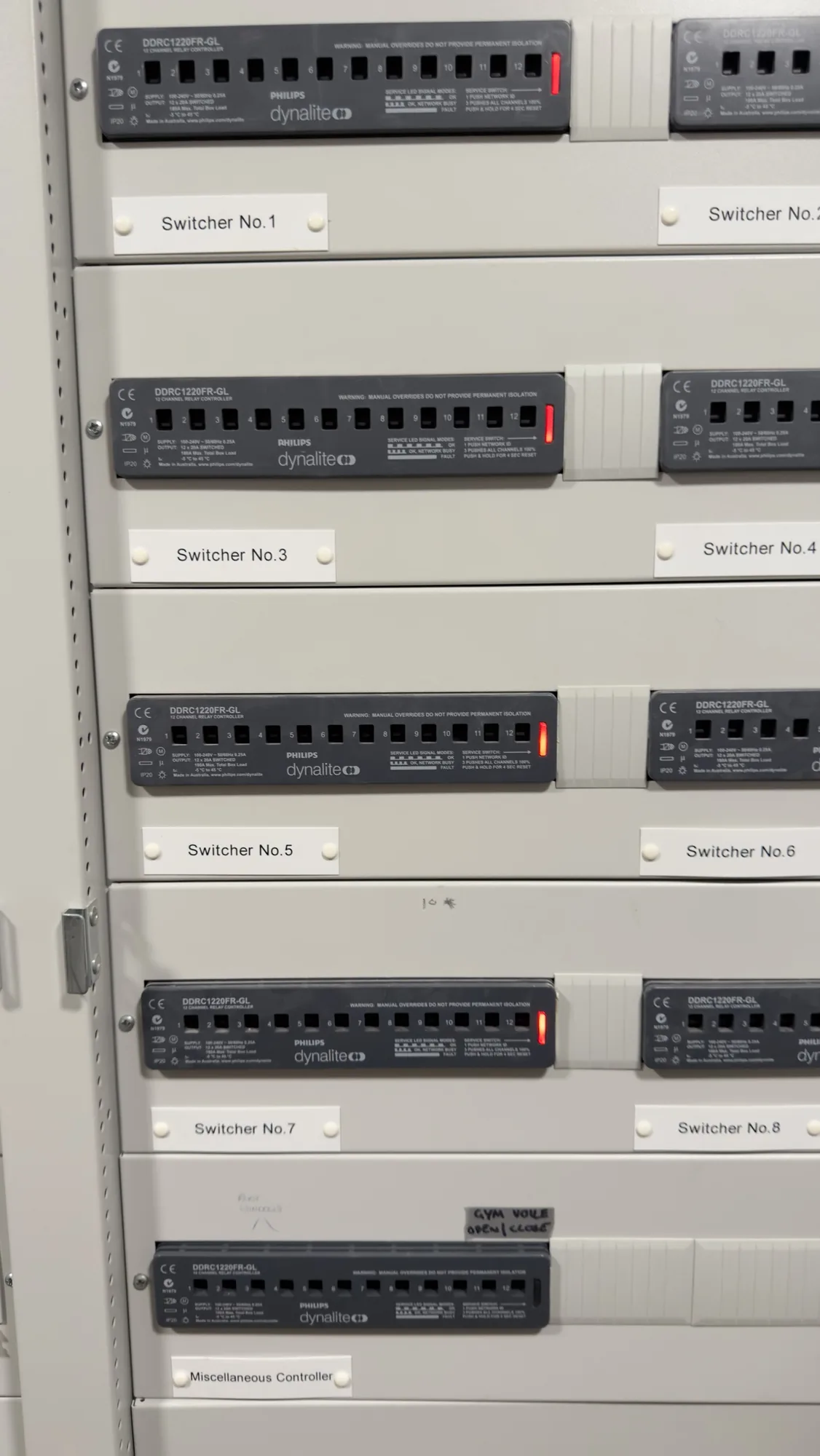
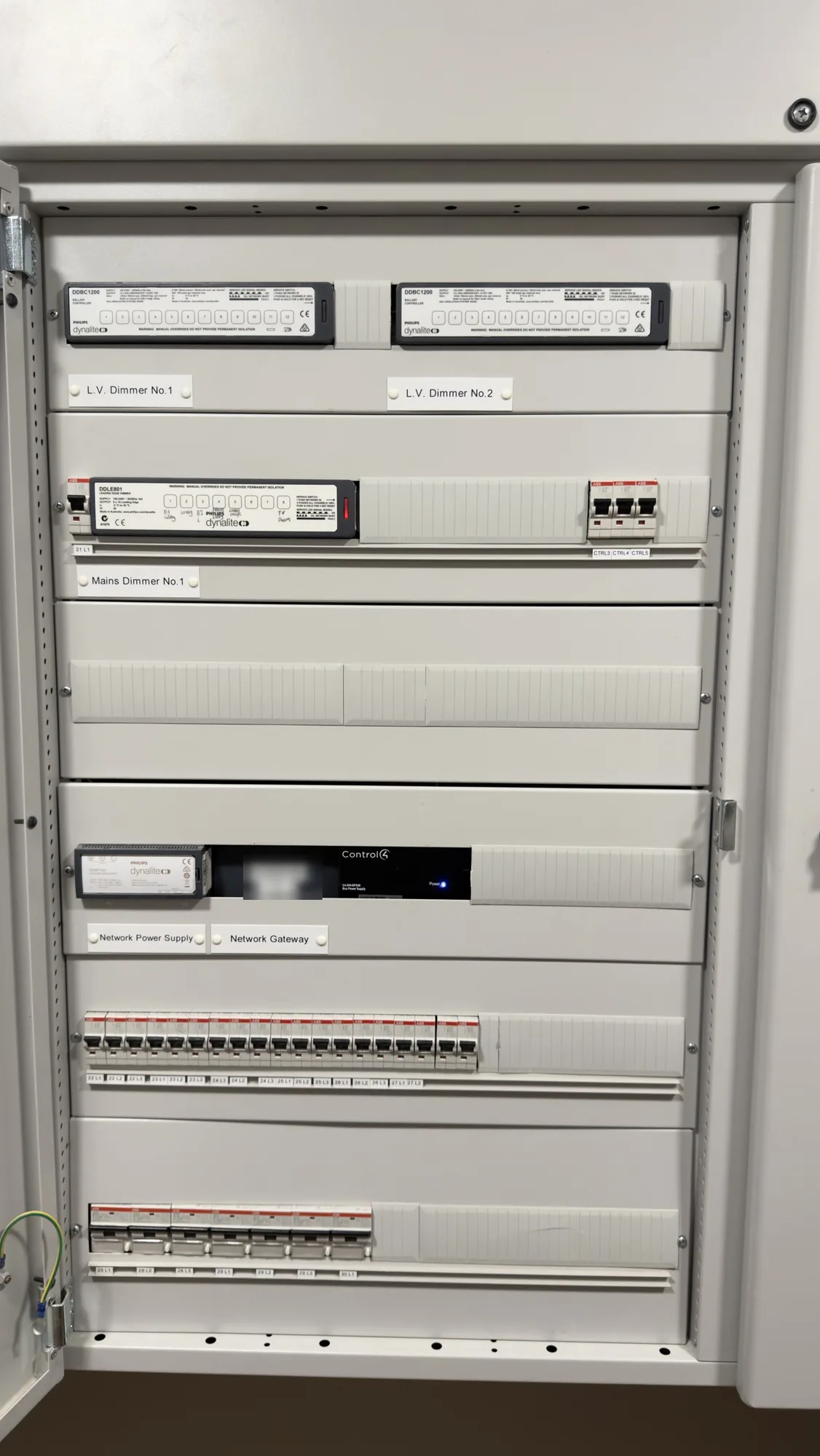
The photos show the eight switchers, a close up of the miscellaneous controller with its handwritten label, and the dimmers and network equipment.
The rack and the TV locations. The equipment rack holds Control4 equipment, network switches, a Blustream unit and rack power strips, with patch leads bundled over the switches and power cables hanging below them. At one of the TVs, a Wi-Fi access point, a Blustream unit and power supplies share the recess with the sockets and a tangle of power and network cables. The rack was not well made, and the wiring behind most of the TVs is very messy, with extra cable everywhere.
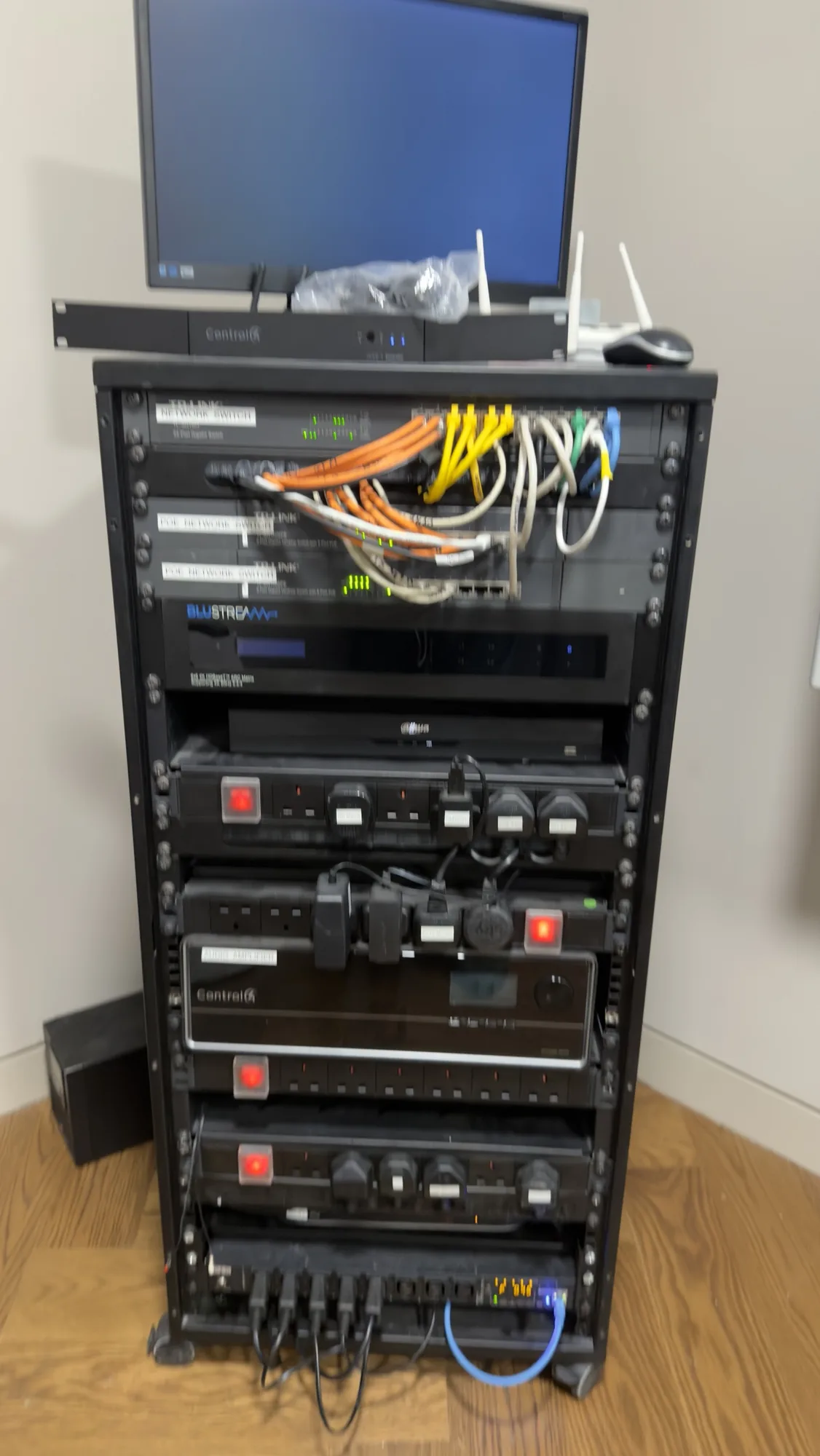
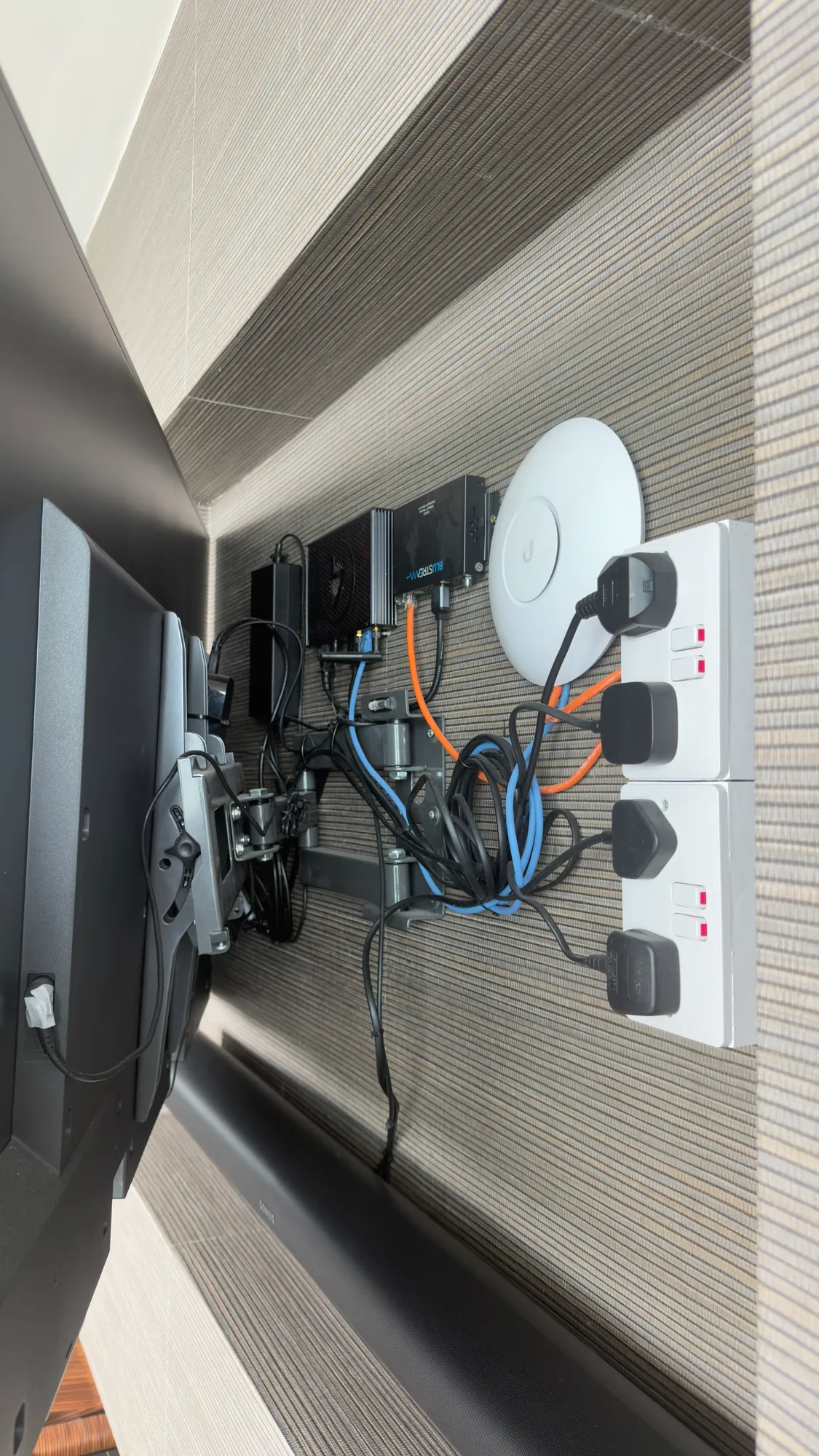
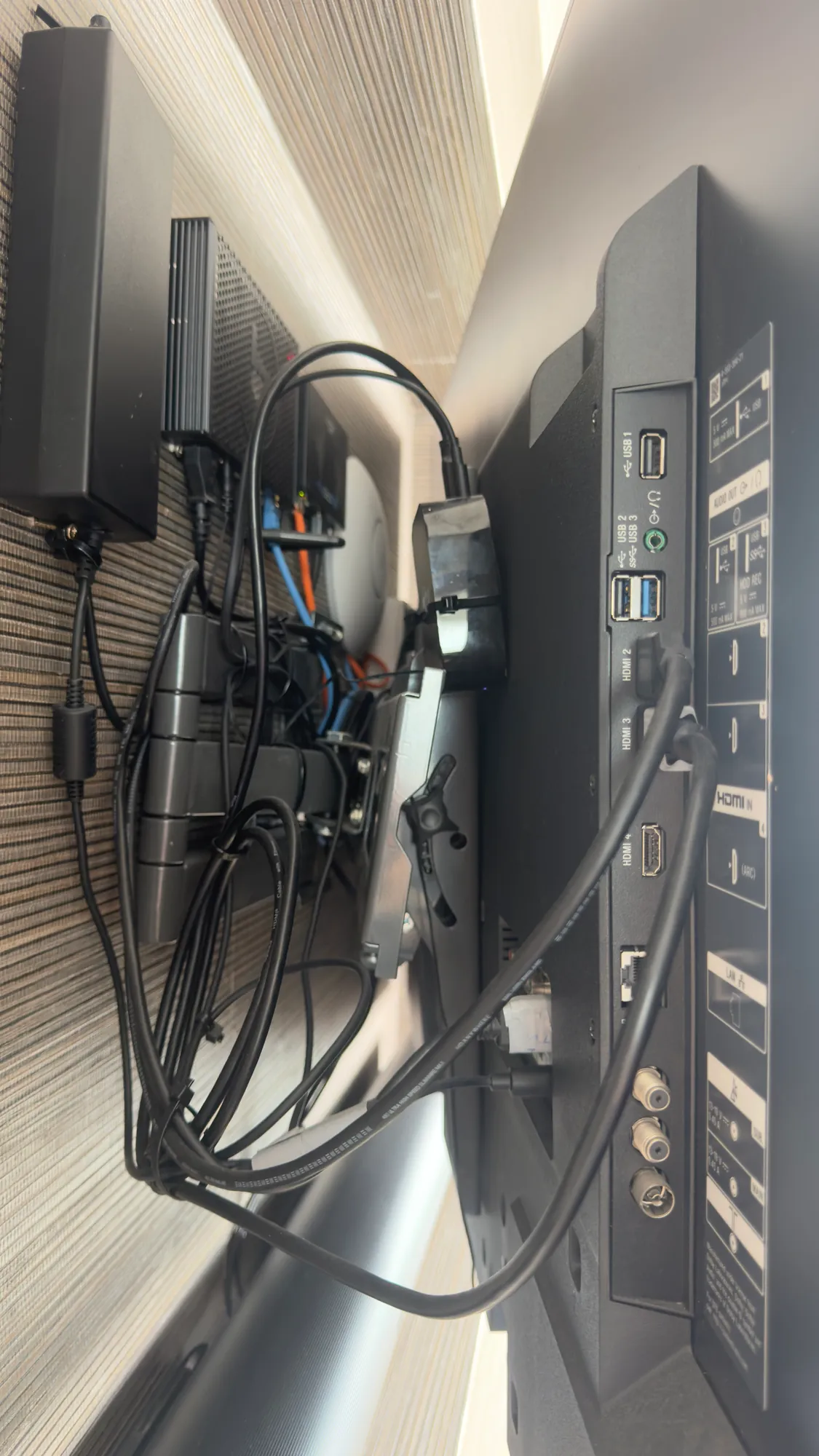
The photos show the equipment rack and two views of one TV location.
The rack on video. The video below walks around the rack, from the front to the back. At the front, some of the cables have been labelled by hand and there are three network switches, all at capacity. A router and the main controller that runs the whole system sit on top of the rack, because there is no room for them inside it. The cabling behind the rack is a tangle. Our plan is a wall rack, where the cables from the house finish, with a short tail to a new floor standing rack that is labelled and easy to service, using one network switch in place of the current ones. The video ends at the lighting panels, which will also be changed over to Crestron.
You can also watch it on YouTube: Control4 to Crestron Home Upgrade in Cork, Ireland: Part 1, the Existing Rack.
Why the homeowner decided to replace it
The homeowner is having the interior of the house redesigned. At the same time he has had enough of a Control4 system that always seems to have problems, and he decided to rip it out. He has asked us to replace it with Crestron Home.
A redesign is a sensible moment to make a change like this. Rooms are already being worked on, so keypads can be moved or replaced, cabling tidied and equipment put right at the same time, instead of disturbing a finished house again later.
Control4 to Crestron Home: what we are replacing
This is an extensive project. It reaches most of the control equipment in the house:
| Part of the system | What we will do |
|---|---|
| Curtains and blinds | Take out the Control4 curtains and blinds and replace them with Crestron |
| Keypads | Replace every keypad with a Crestron keypad |
| Lighting | Replace all of the DALI lighting, the switched relays and the dimmers, including the mains dimmer in the cabinet downstairs |
| Equipment rack | Rebuild it, because it was not well made |
| Network | Upgrade it with new Wi-Fi access points; the current ones still work, but they are old |
| TV locations | Tidy the wiring behind the TVs, which is very messy at most locations, with extra cable everywhere |
| Documentation | Record everything we do on the project |
Crestron describes Crestron Home as a single platform that controls lighting, audio, video, climate, security and shades from wall keypads, remotes and phones. In this house the control moves from Control4 to Crestron Home, with new keypads, new curtains and blinds and new lighting equipment. For what we normally install, see our pages on lighting control in Cork and motorised blinds and curtains in Cork.
What we will compare as the job goes on
The same house has run Control4 for years and will now run Crestron Home, so it is a useful chance to see the difference. As we add each part, we will note how the work compares, from how the equipment goes in and is set up to how the finished system behaves day to day.
A single house will not settle which platform is better for every home, and we will not pretend it does. What it will show is what a change like this involves, stage by stage, and what the homeowner thinks of the result.
What to check before you replace a control system
If your own system has been unreliable, replacing it is not always the first step. It is worth finding out where the problem really is:
- The network. Control systems depend on a healthy network, and old Wi-Fi access points or poor switching can cause problems that look like faults in the control system. See our Wi-Fi and network design.
- The equipment rack. A rack that is badly built, with loose cabling and no labels, makes every fault slow to find and fix.
- Equipment from other makers. When lighting, audio or other parts come from different manufacturers, the link between them is one more thing that can go wrong.
- The documentation. If nobody can say what goes where, every fault costs more time. Our design and documentation page shows how we record a system.
- The timing. A redesign or renovation is the easiest moment to change keypads and tidy cabling, because walls and finishes are being worked on anyway.
Sometimes a system can be put right without replacing it, and our rescue projects page explains how we assess one that is failing. In this house we have spent the last two years making the existing system more stable, and the homeowner still wants a fresh start.
What happens next
The final site survey, to measure the blinds and curtains, took place on 1 October 2026. Part 2 will cover taking the old system out. We will add it to this page once that work is under way, so it is worth coming back to. If you have a system of your own that is unreliable, we can survey it and tell you plainly whether it can be put right or is better replaced. See our survey and design step for how that starts.
Questions we are often asked
Can you replace a Control4 system with Crestron Home?
Yes. Both are whole house control platforms, so the change means taking out the old controller, keypads and control equipment, installing the new ones and programming the whole system again. Where the existing cabling is in good order we reuse it, and we check that at the survey. This series shows how it goes in one house.
Is Crestron Home better than Control4?
Neither is better in every house. Control4 tends to suit family homes well and is very good value, while Crestron is often chosen for larger, more complex houses, and we go through the differences at the consultation. We install both. In this house the homeowner has chosen Crestron Home after years of problems with the system he has.
Why would someone replace a Control4 system?
Usually because it is not dependable, because parts of it are old, or because the house is being redesigned and the keypads and lighting are changing anyway. In this house it is all three: the system has never worked consistently, the Wi-Fi access points are old and the interior is being redone.
Is the control system the problem, or what is around it?
It can be either, which is why we look at the whole chain before recommending a replacement: the network, the rack, equipment from other makers, the wiring and the programming. Some faults can be put right, but if a system was poorly designed from the start it can reach a point where replacing it is the better answer.
How long will it take and what will it cost?
We cannot say for a house we have not surveyed, because it depends on its size, how much is replaced and the state of the existing cabling. Our smart home cost page gives a starting point, and after a survey we send a proposal with drawings before anything is installed.
Can you take over a system another installer put in?
Yes. We take over systems that another integrator installed: we test every device, put right what is not working and give you a written report on what is there. Our rescue projects page explains how we assess and document a system before we change anything.
Book a consultation or call Dublin on 01 906 9326 or Cork on 021 202 8107.
- Log in to post comments